Complete customer files
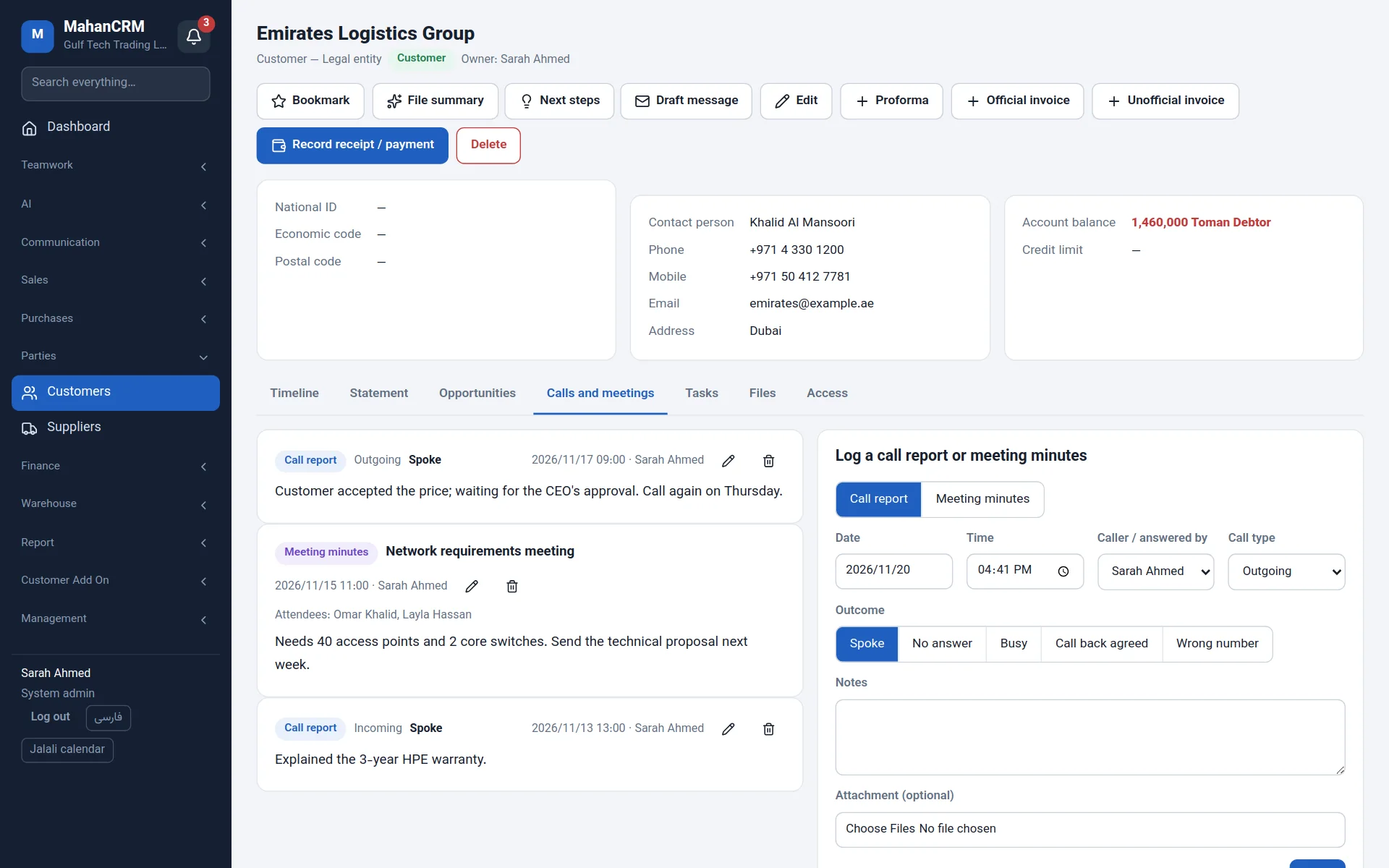
Contacts, custom fields, tags, call reports and meeting minutes, files, opportunities, documents and statement — on one timeline.
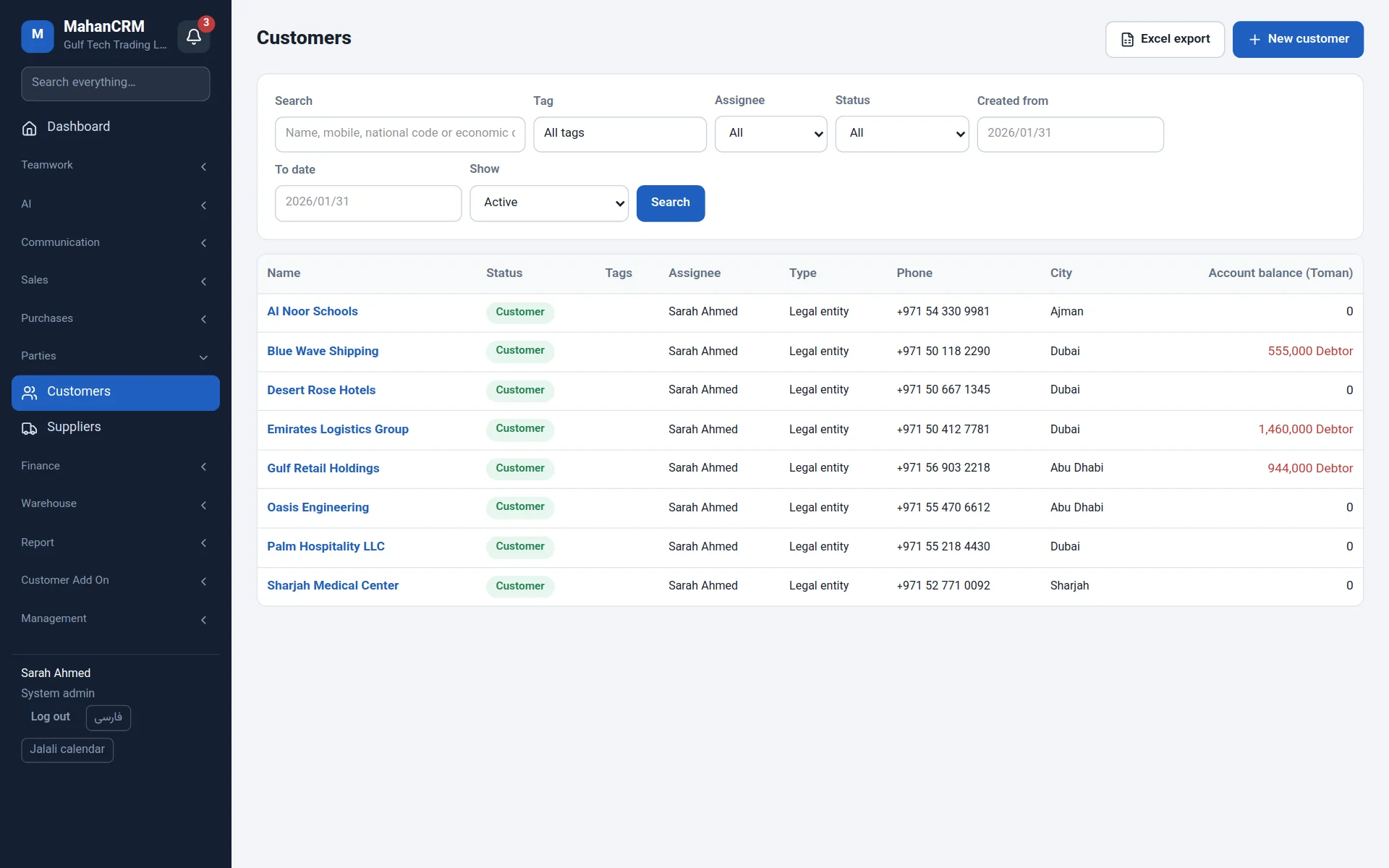
Mahan CRM keeps the full file of every customer, your sales pipeline, quotations and invoices, stock, tasks and projects, team chat, internal letters and an AI assistant in one place — and puts the customer on screen the moment the phone rings.
Works with the tools you already use:
From customer files and caller pop-ups to the sales pipeline, quotations, tasks and projects, team chat, letters and the AI assistant.
Instead of spreadsheets, phone notes, chat apps and separate tools, the whole team works in one system — and no customer history is ever lost.
Contacts, custom fields, tags, call reports and meeting minutes, files, opportunities, documents and statement — on one timeline.
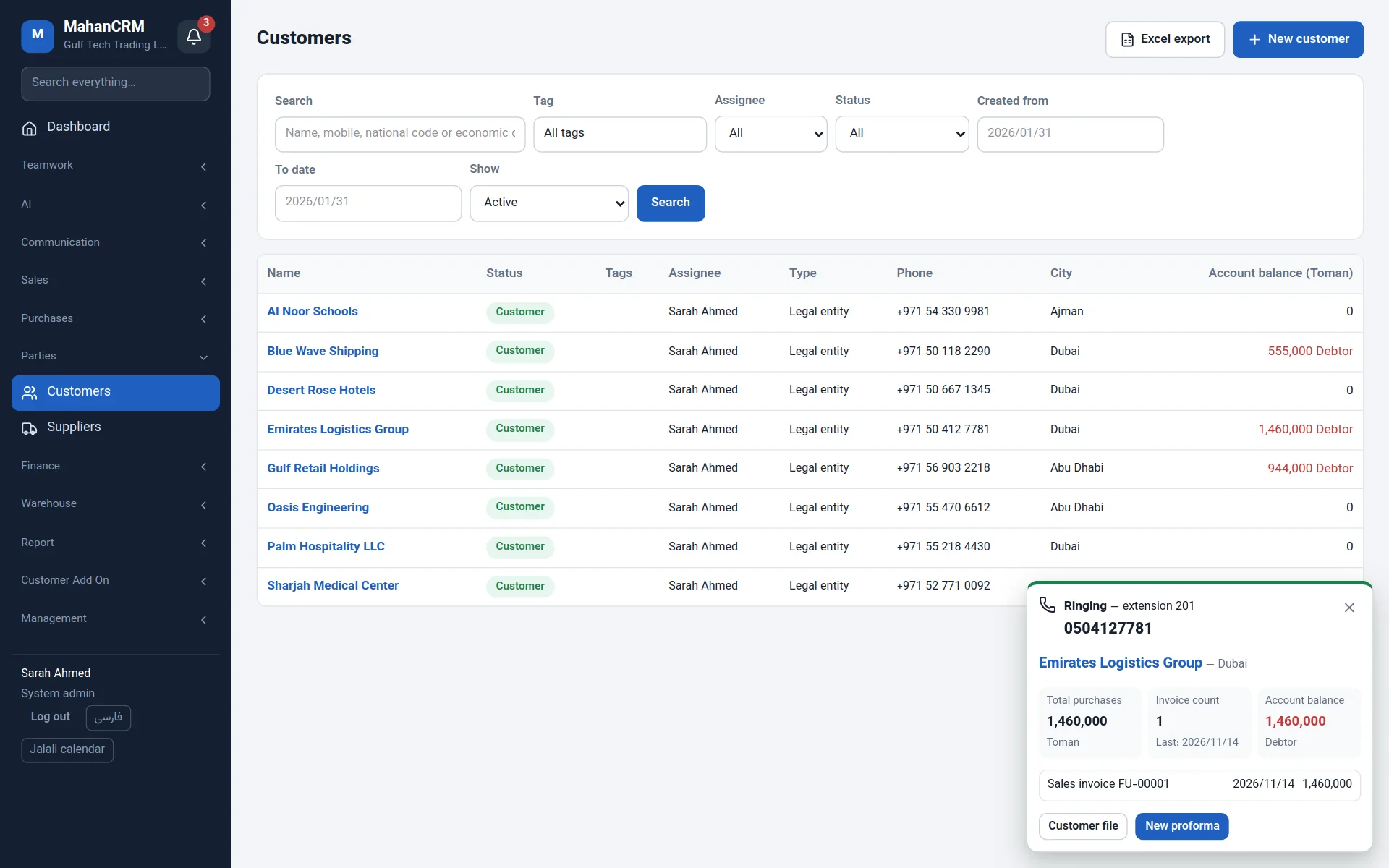
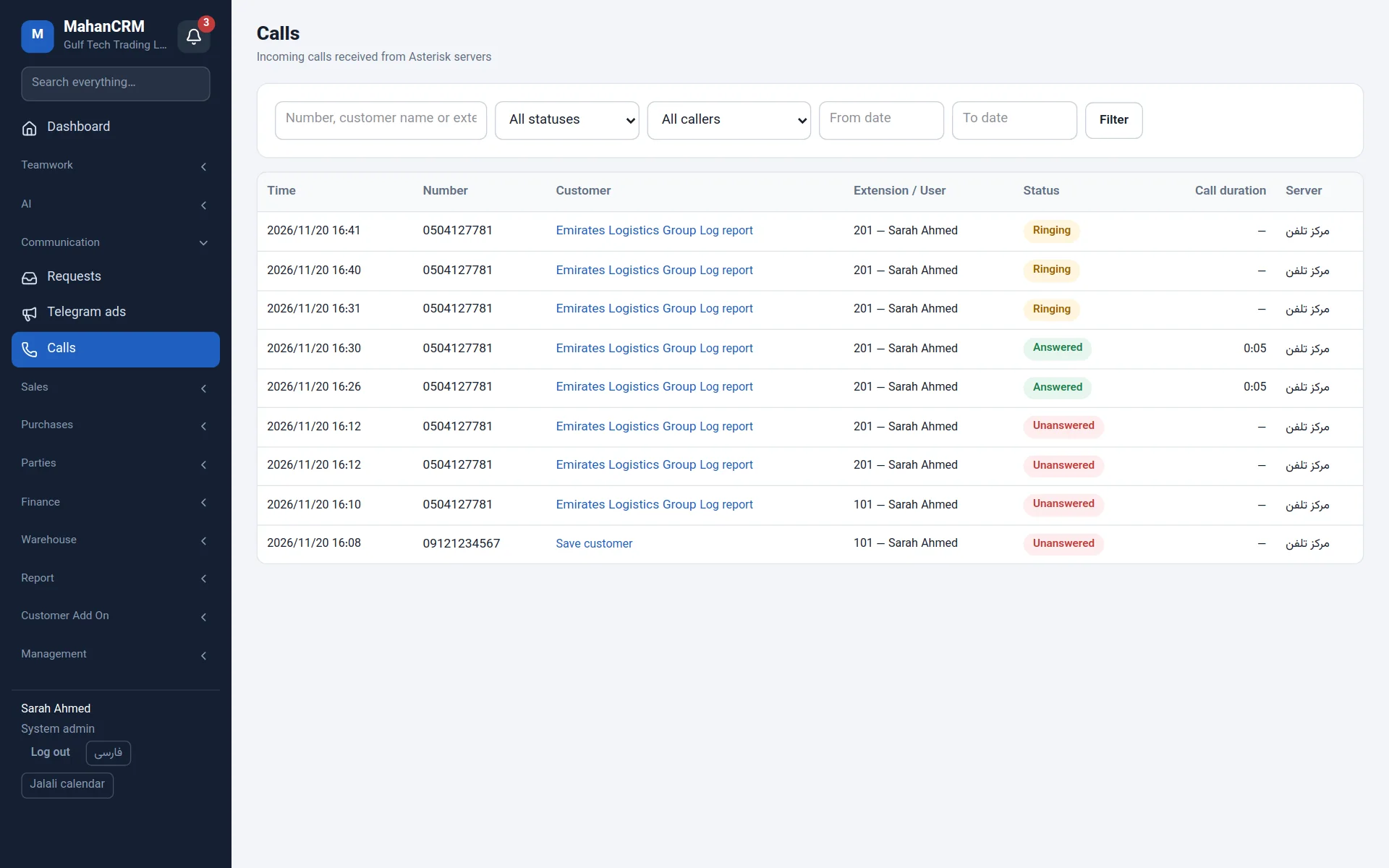
When the phone rings, the customer's name, balance and latest documents open on the agent's screen; works with Asterisk and FreePBX.
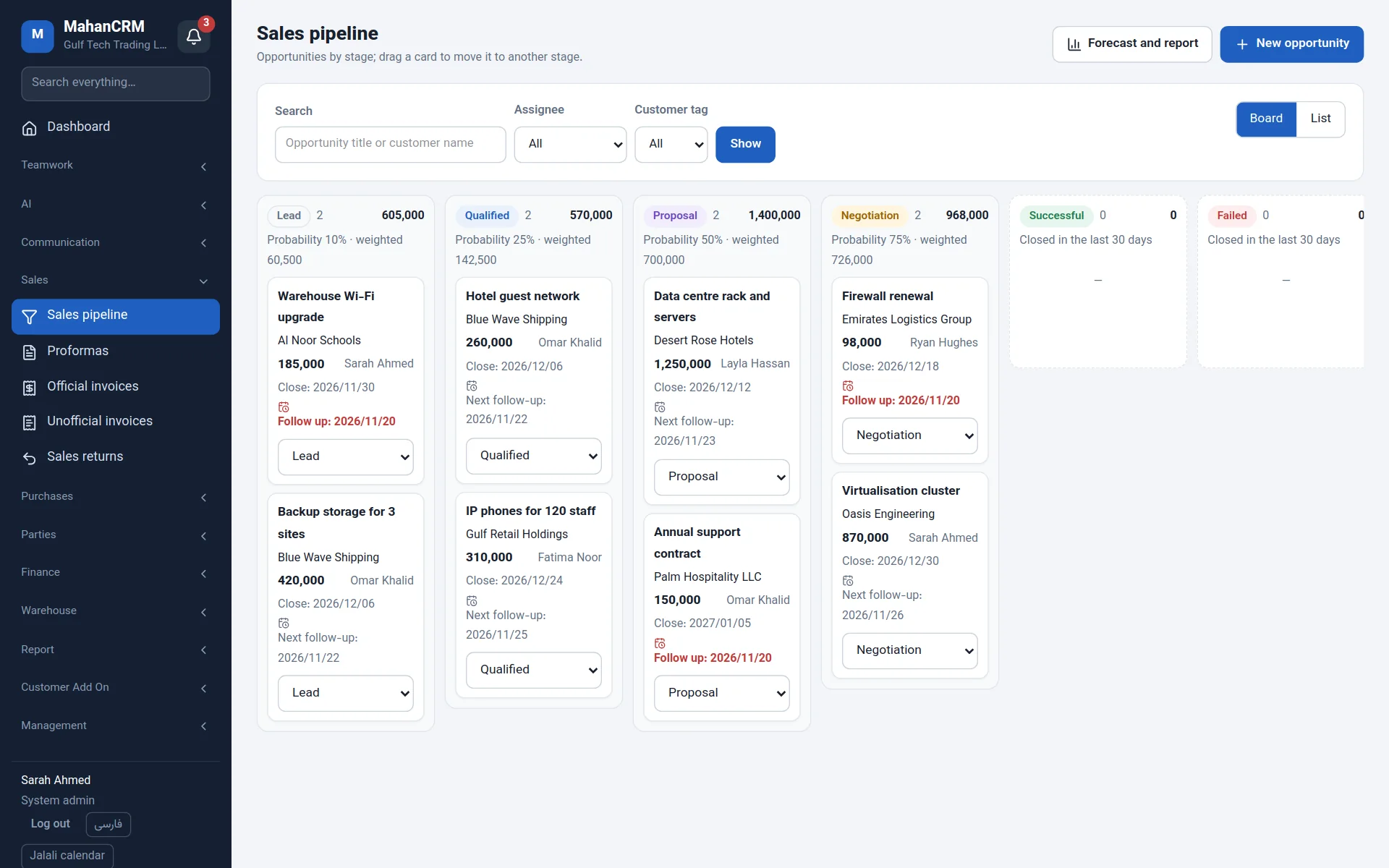
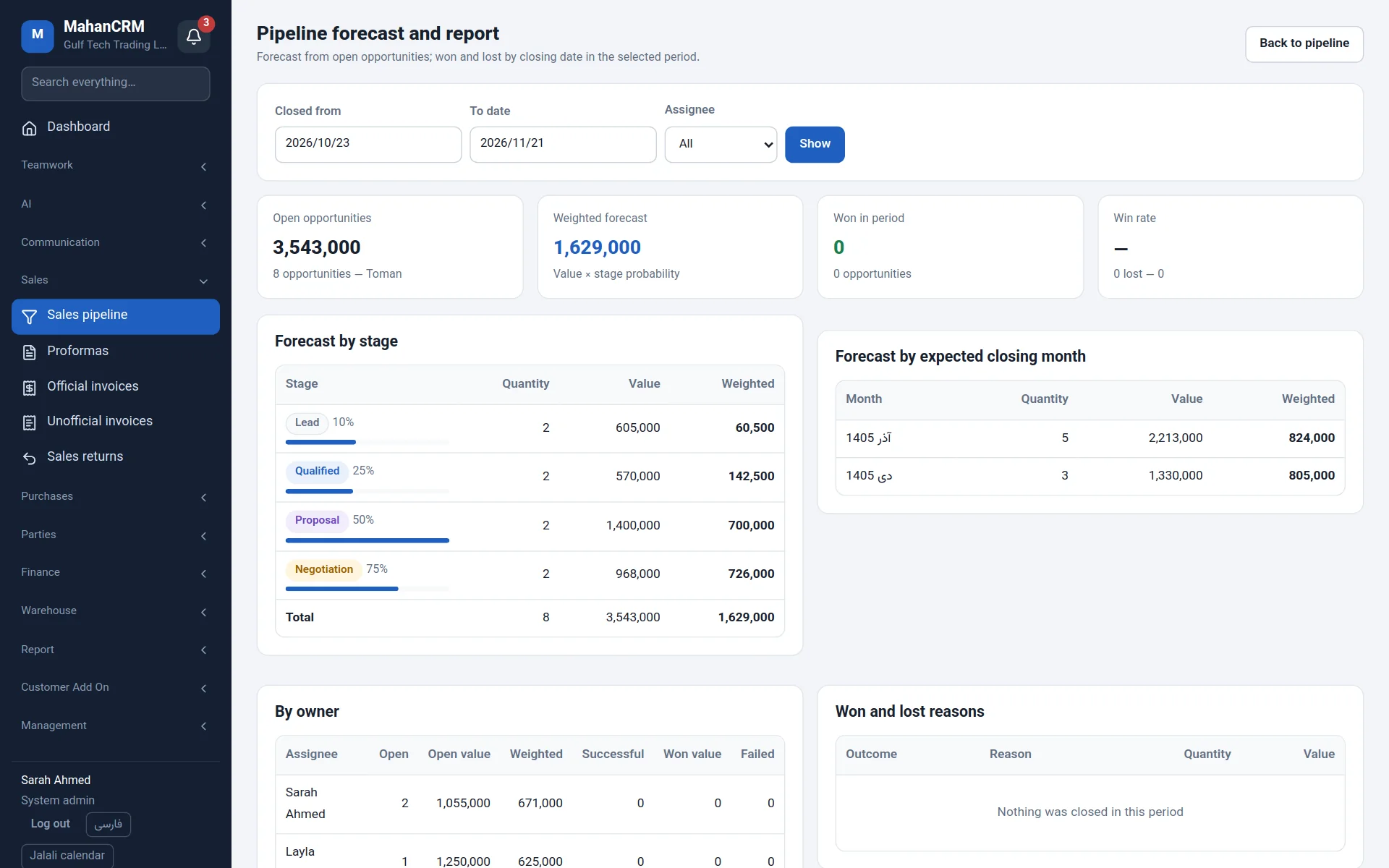
Drag deals between stages; weighted forecast, won and lost reasons and follow-up reminders.
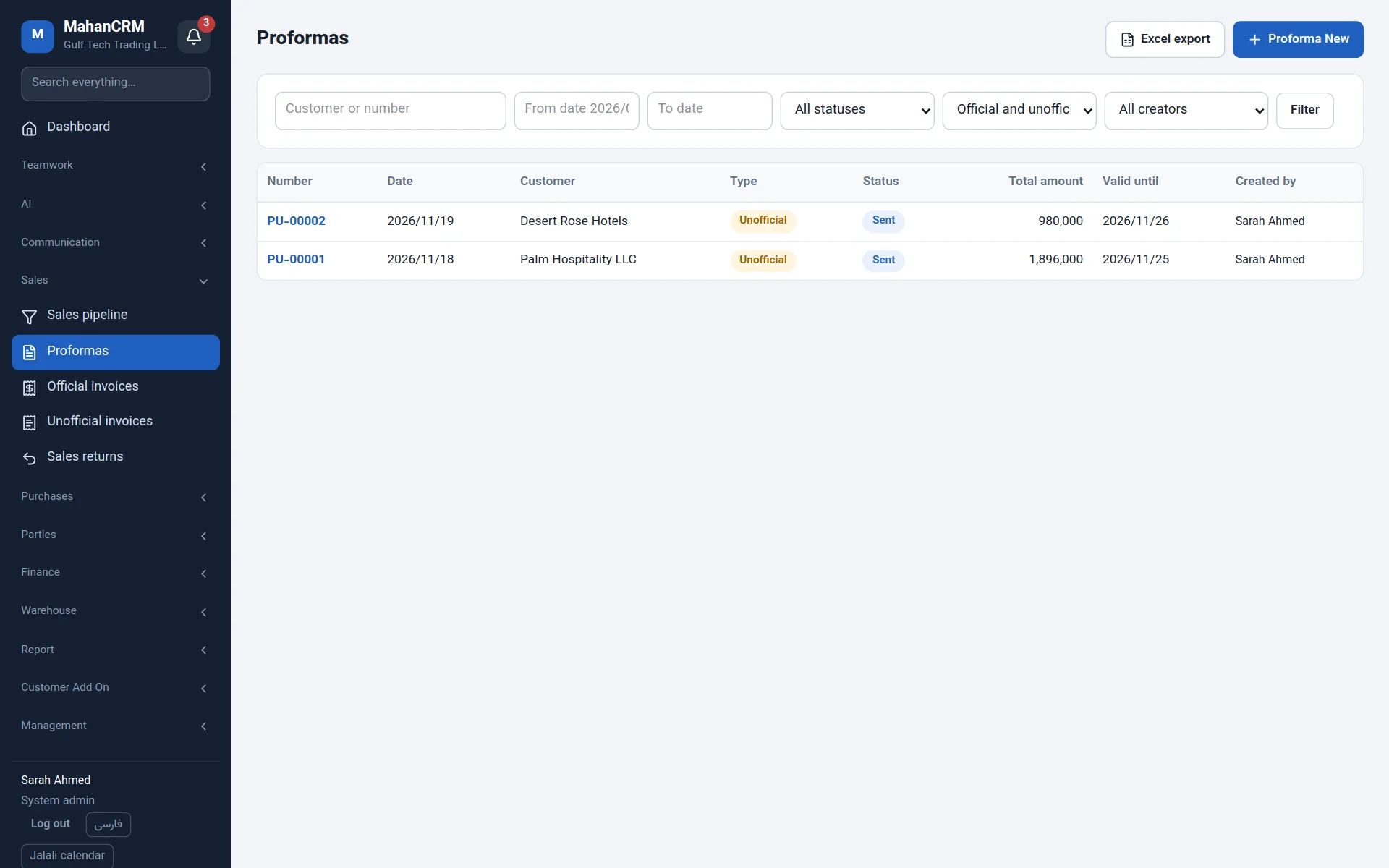
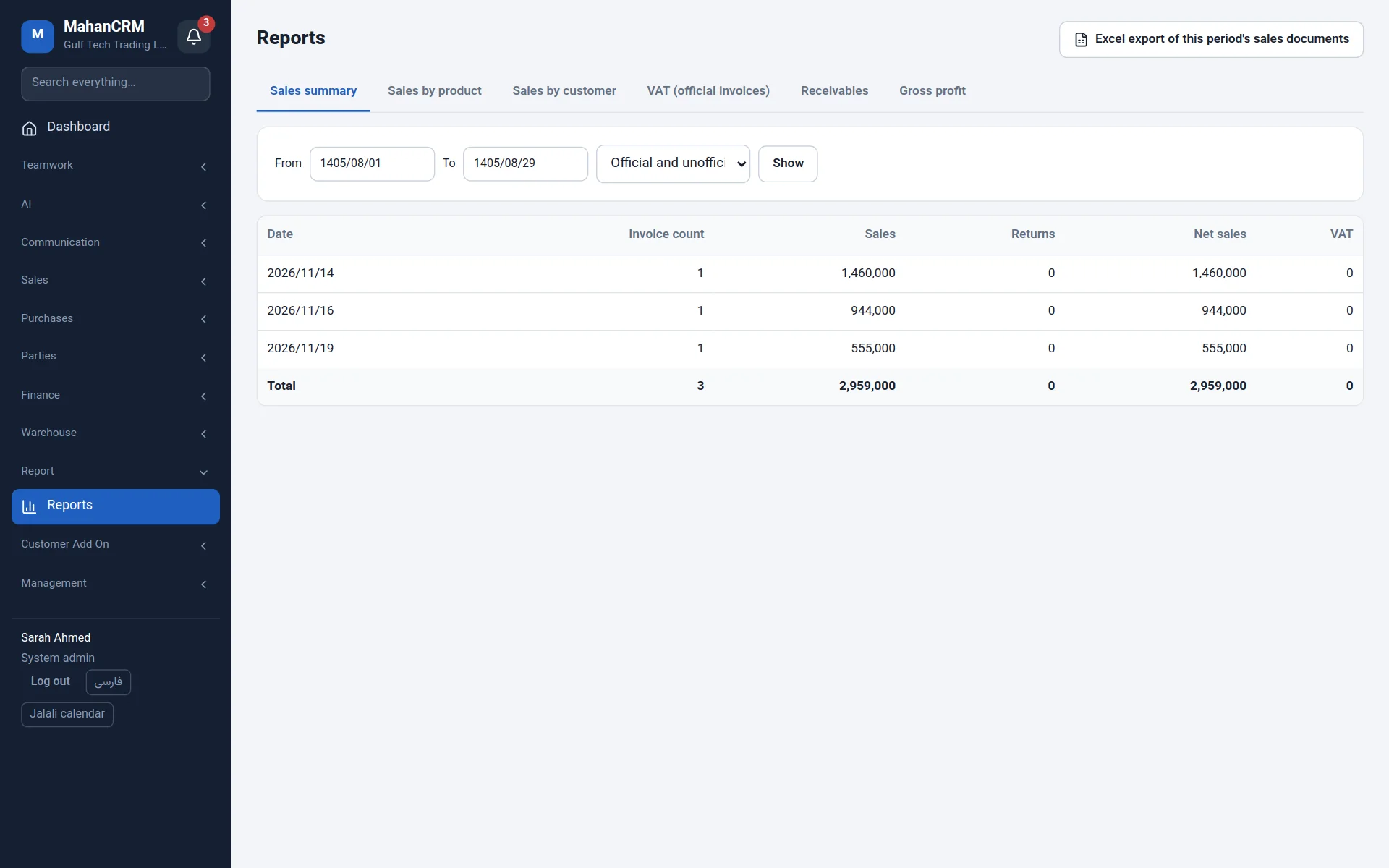
Quotations, tax and non-tax invoices, returns, receipts and cheques; English PDFs sent by email and WhatsApp.
Products, several warehouses, goods receipts and issues, serial numbers, and supplier invoices read by AI.
Kanban board, calendar, checklists, recurring tasks, comments with mentions, time log and a done report.
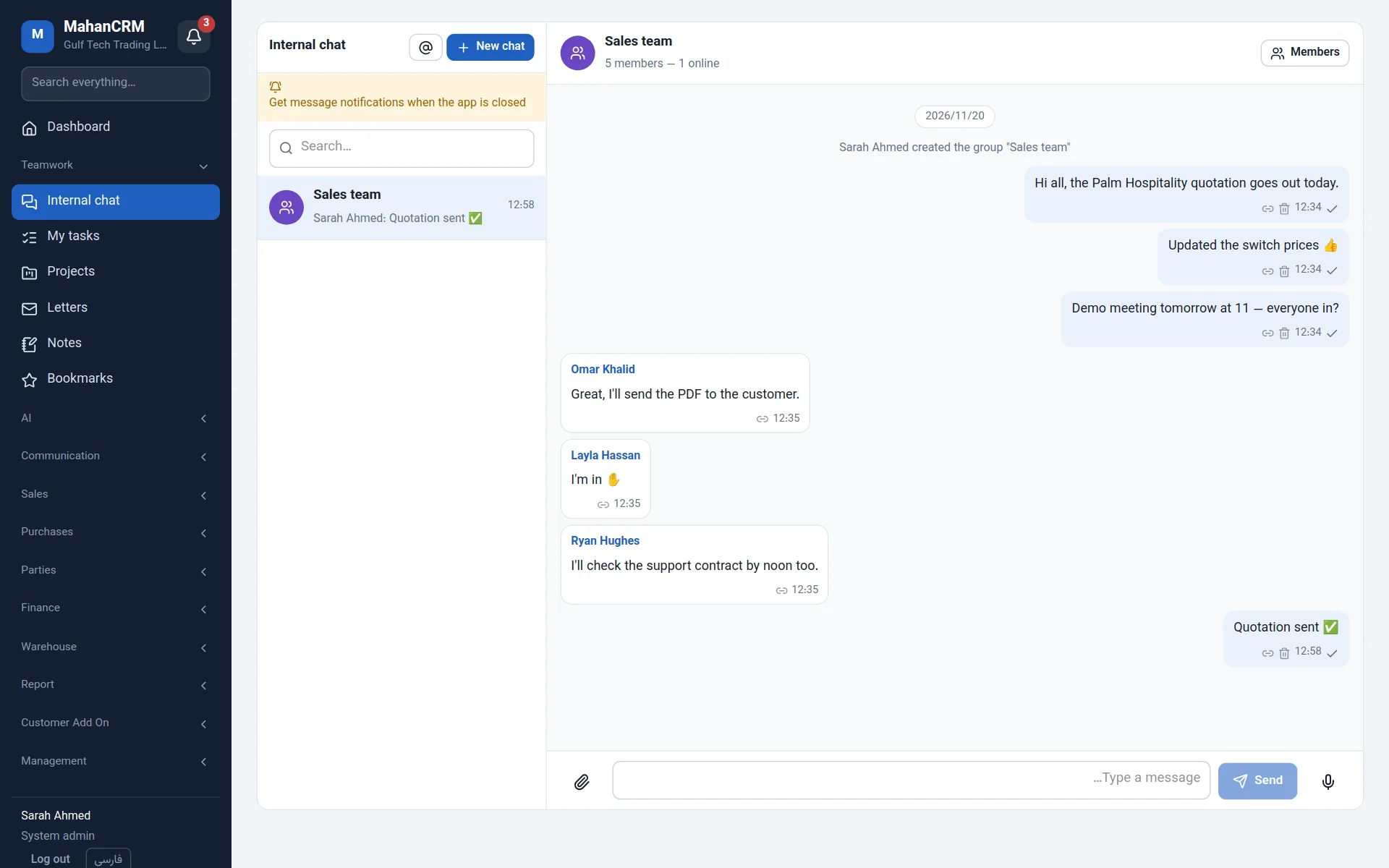
Direct and group chats, channels, voice messages, presence and browser notifications; turn a message into minutes.
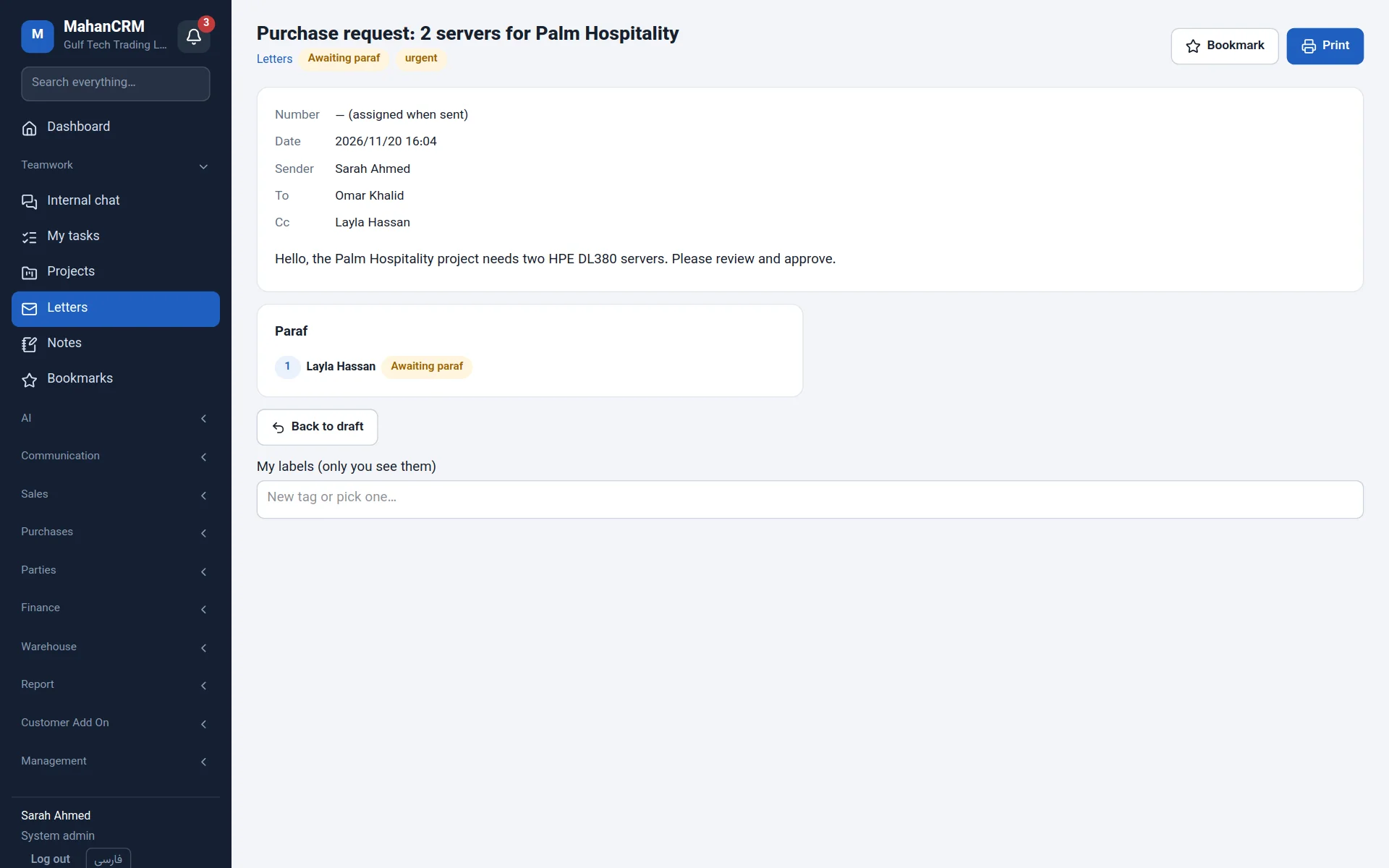
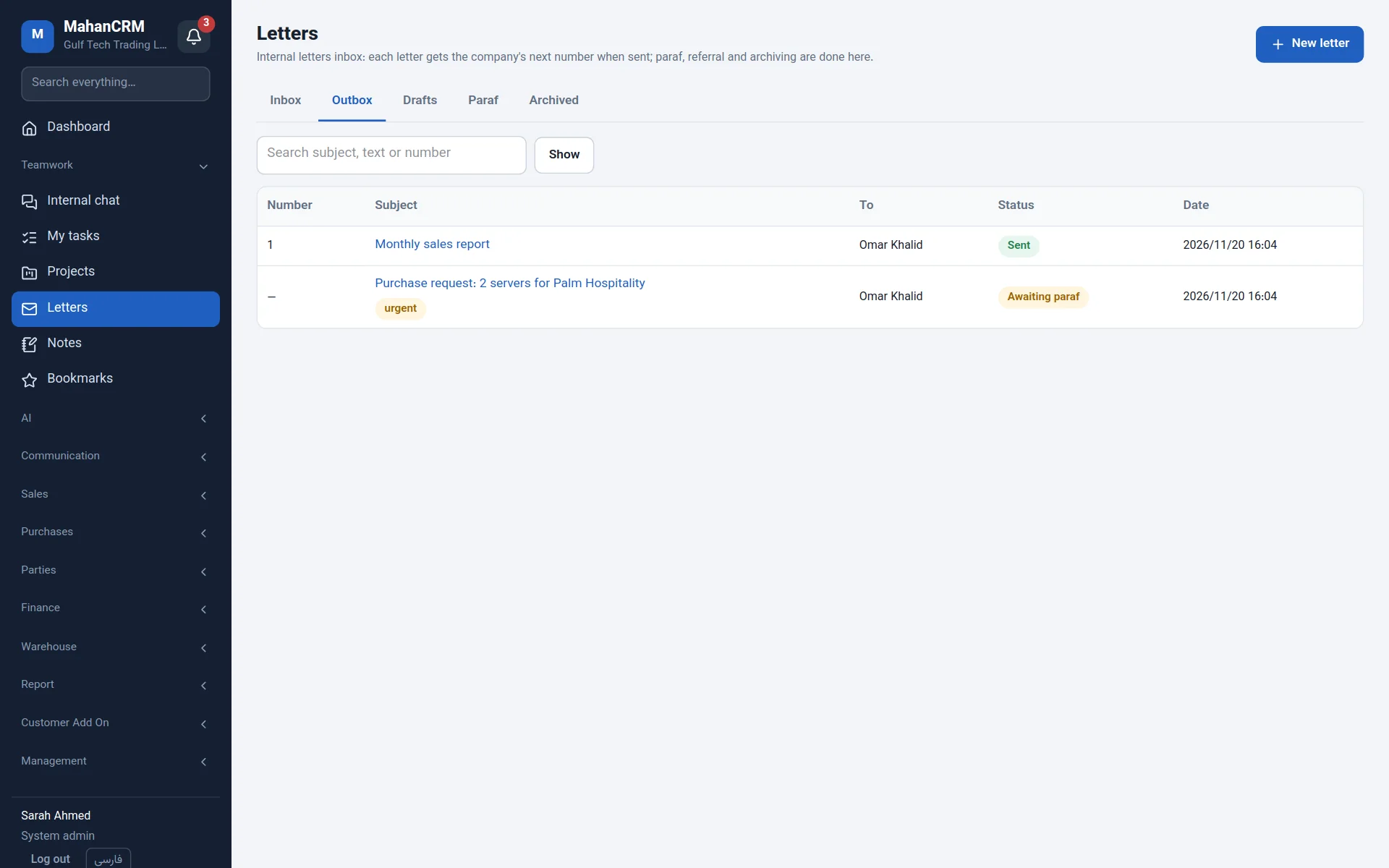
Numbered letters with an approval (paraf) chain, referral, CC, archive and labels — paperless.
Ask "Which quotations haven't been answered?" — with a local model on your own server or a cloud service.
Answers customers on your website, Telegram and WhatsApp from your own knowledge base, and hands over to a person.
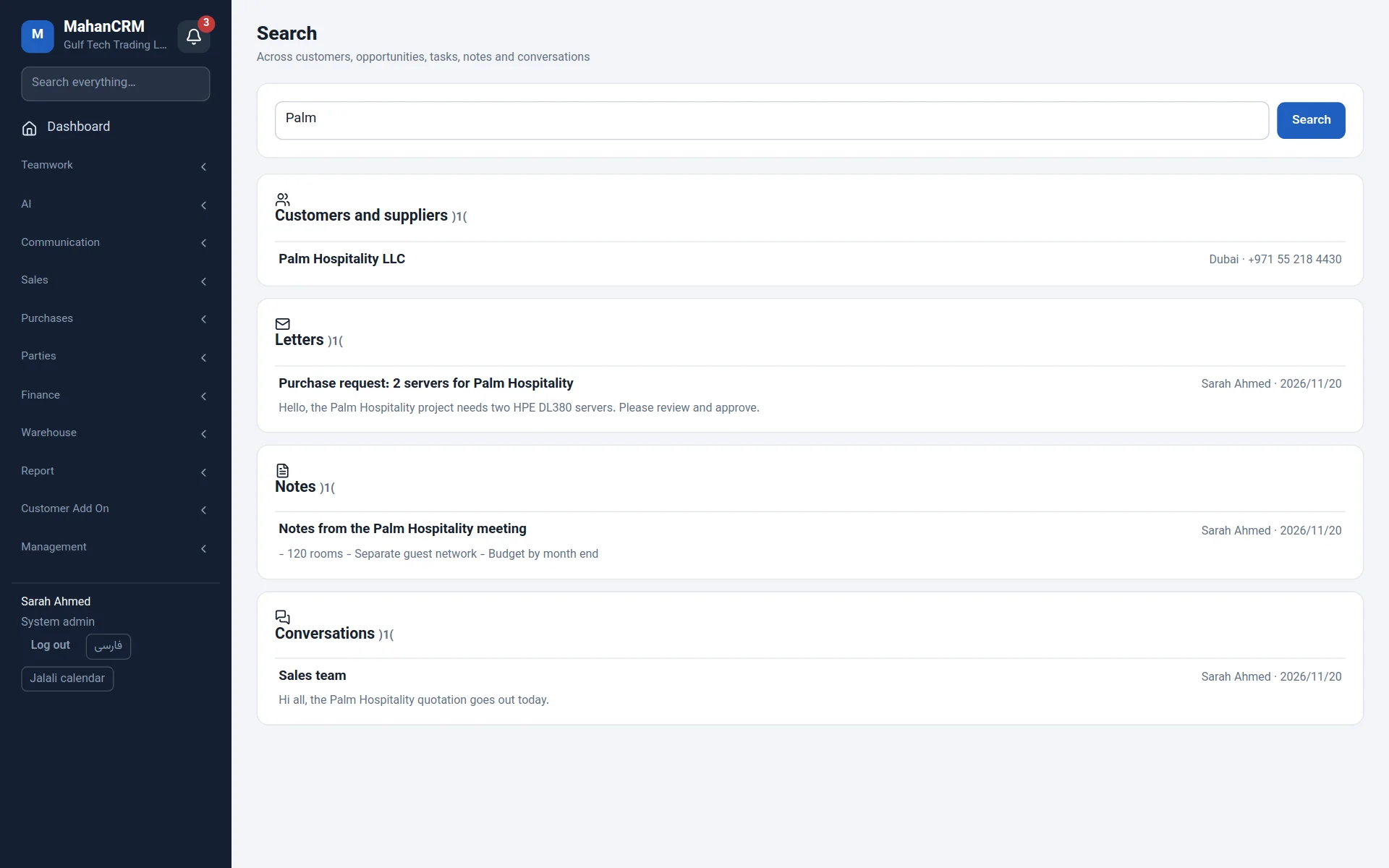
Private and shared notes, announcement channels, bookmarks and one search across customers, tasks, letters and chats.
Reps see only their own customers, access groups, Active Directory sign-in, multi-company and a full audit log.
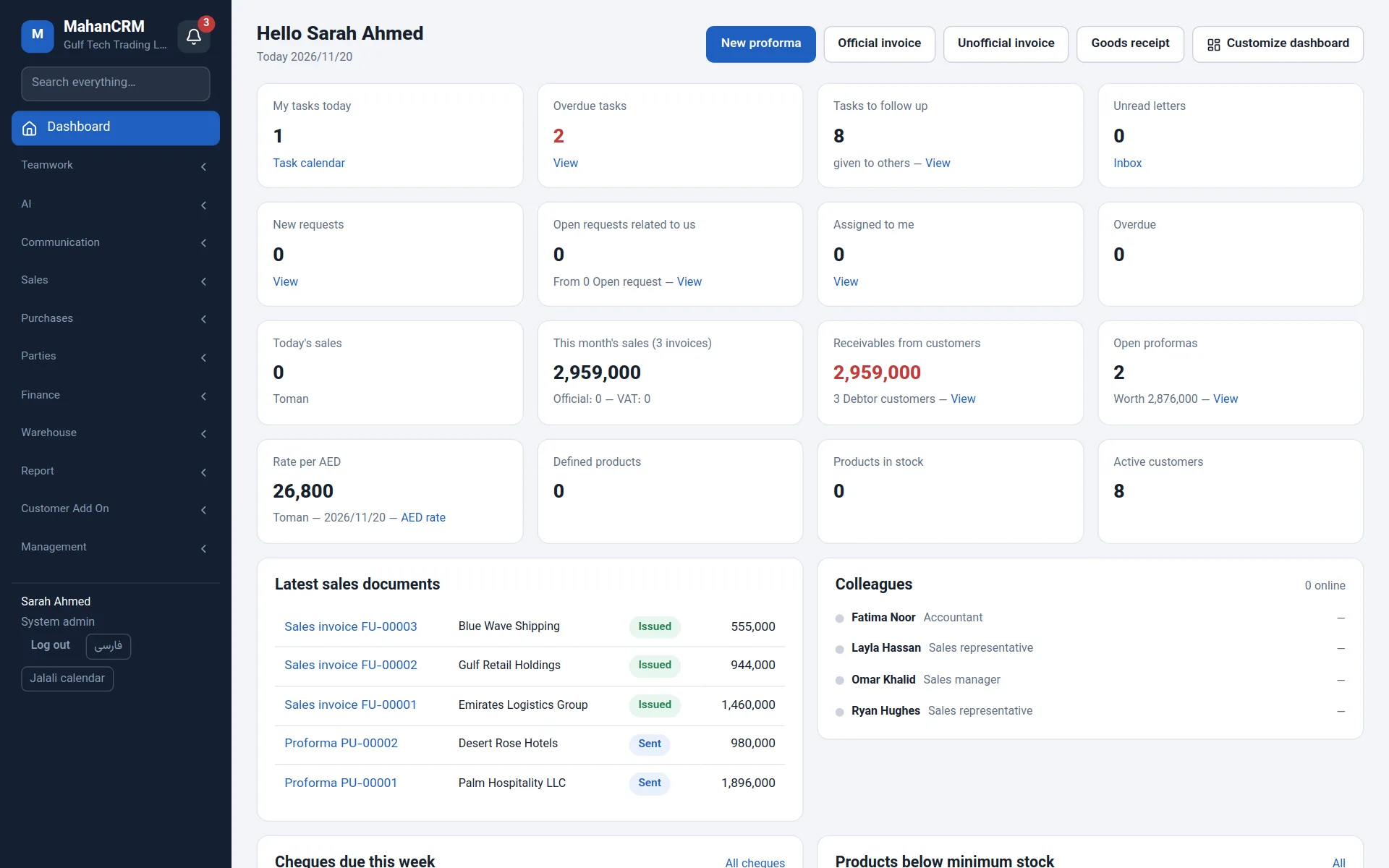
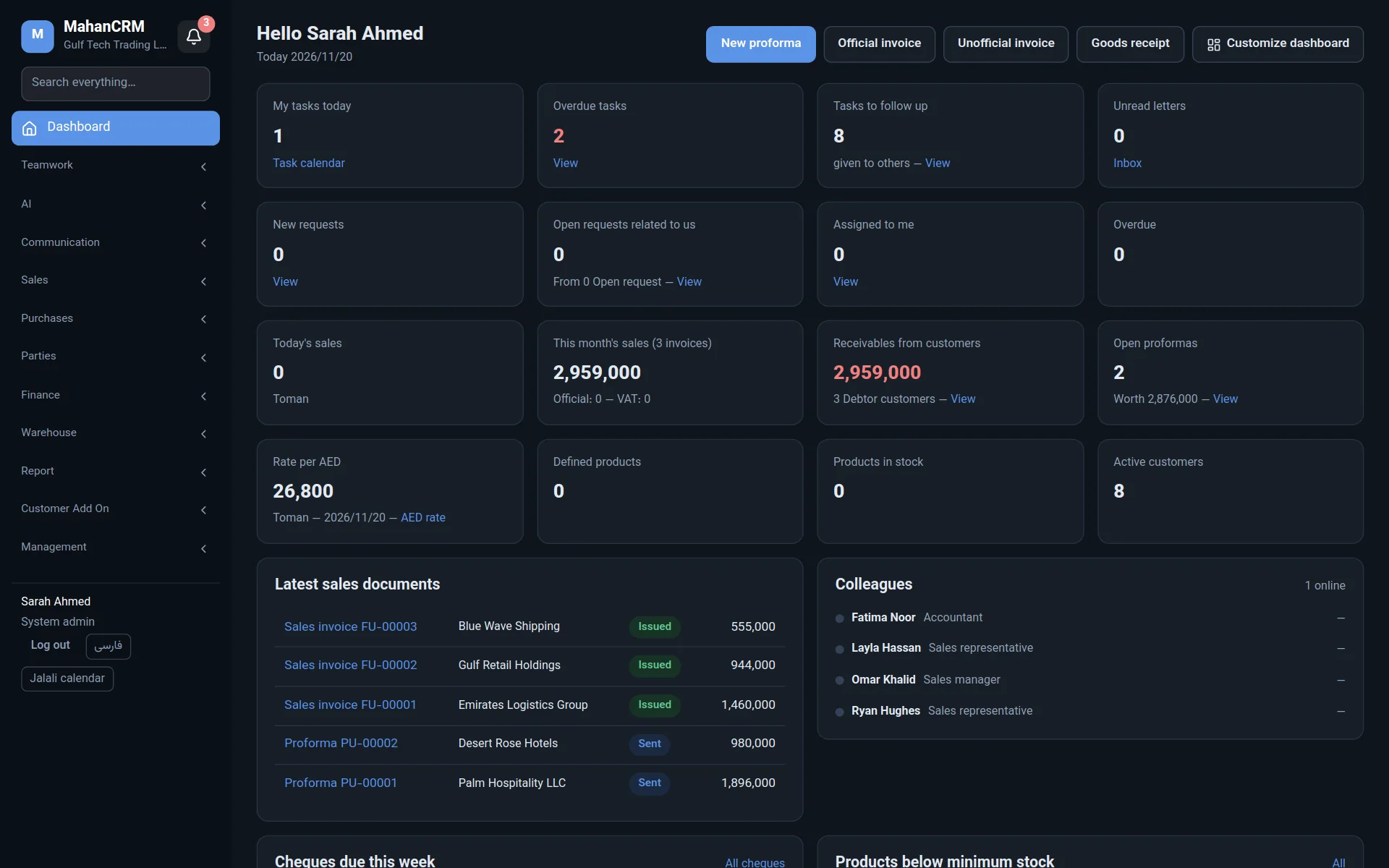
Screenshots from a test system with made-up data. Click any image to enlarge it.
Every call, meeting, quotation, invoice, payment and file lands on the customer's timeline — even when the account manager changes.
Every opportunity is a card; drag it to the next stage and the probability and forecast update by themselves.
Build a sales document from stock items or free text, then turn it into an invoice with one click.
Assign work to a colleague, set a due date and see on the board or calendar who is working on what.
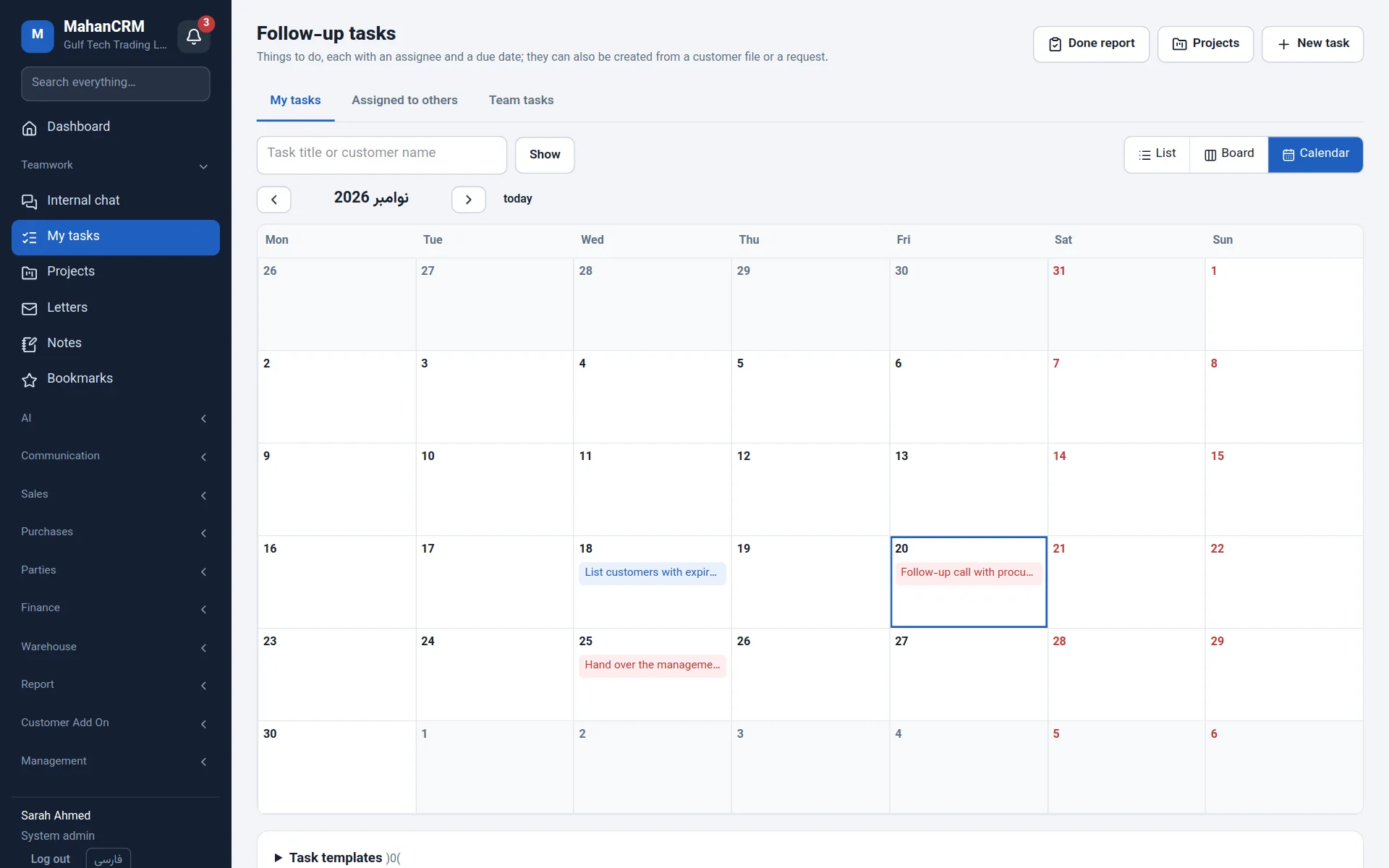
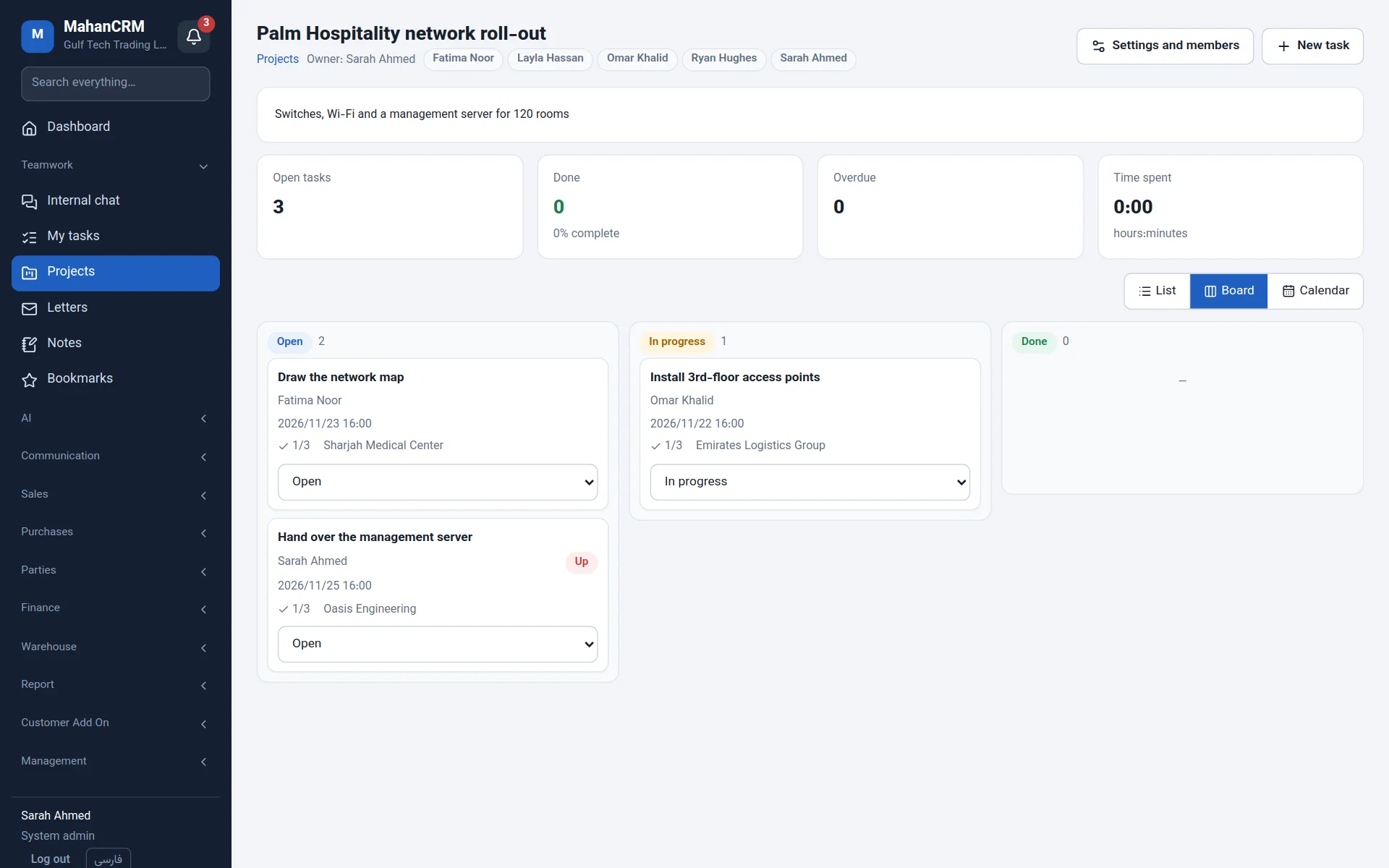
Work conversations stay next to the customer files, not on staff's personal phones.
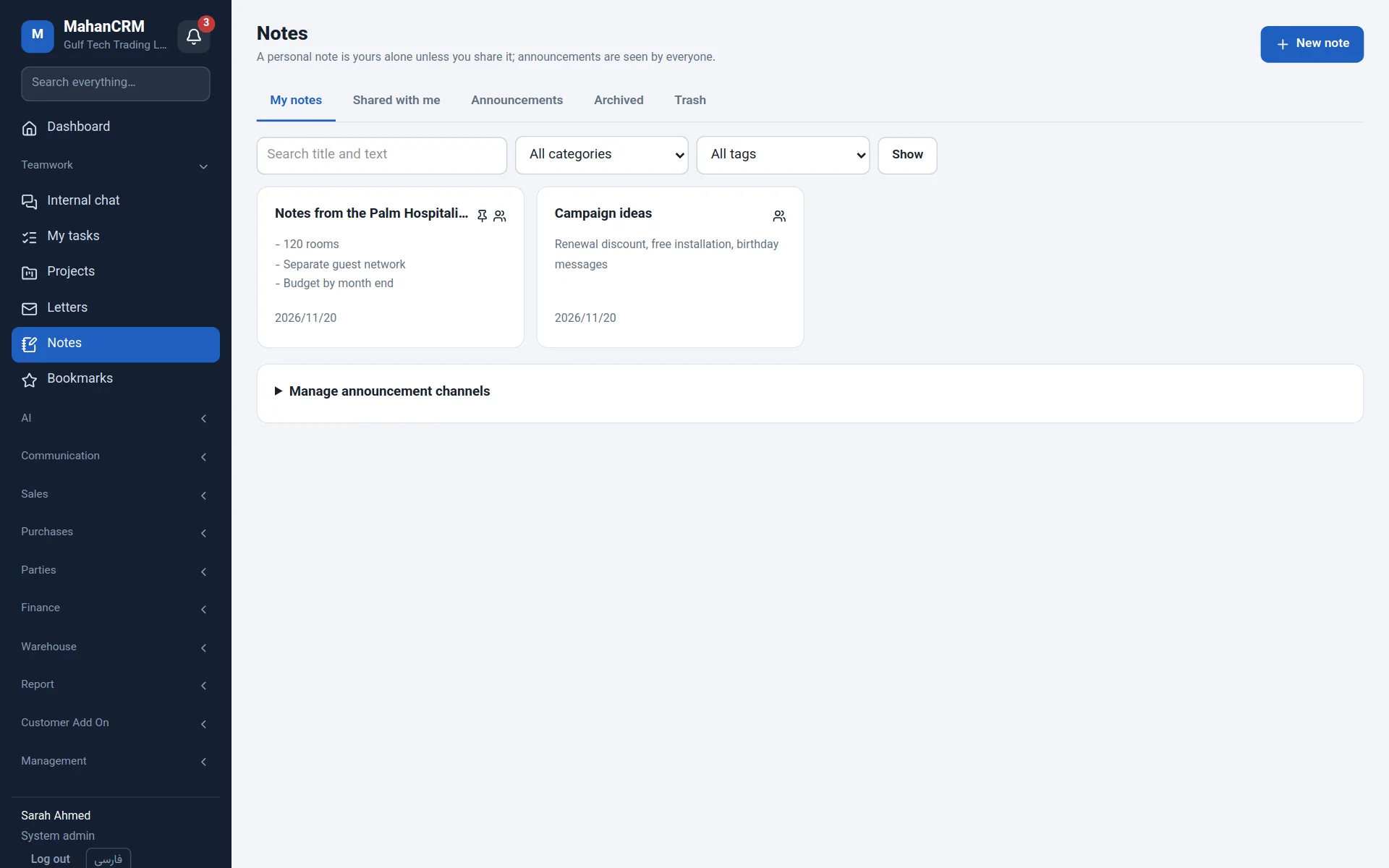
Internal letters are numbered, approved and referred, with the full history of each one.
Mahan CRM connects to Asterisk, FreePBX and Issabel. With every incoming call, the customer window opens on the screen of the person whose phone is ringing.
Mahan CRM's AI can run entirely on your own server, so customer data never leaves your company. Cloud services are optional.
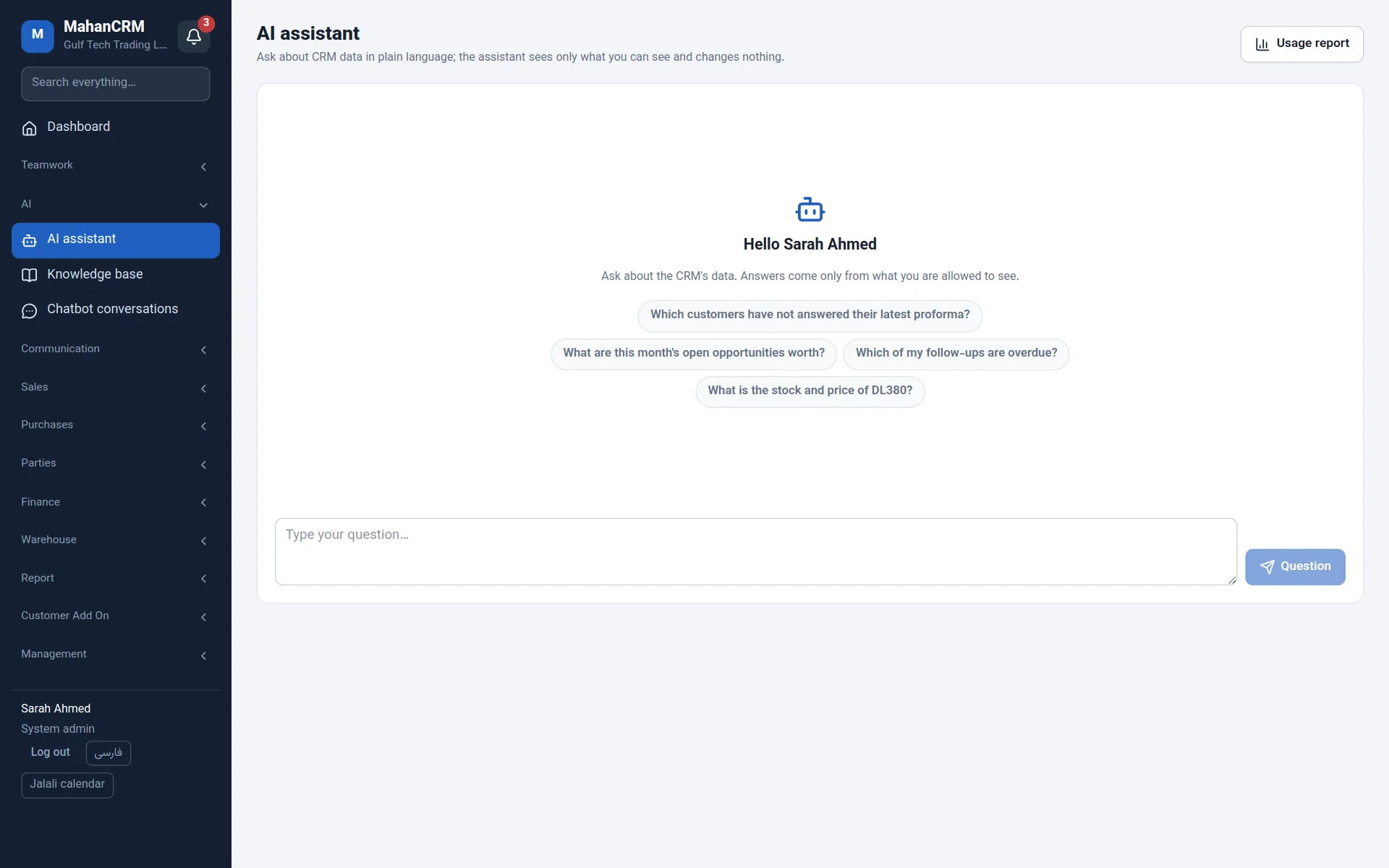
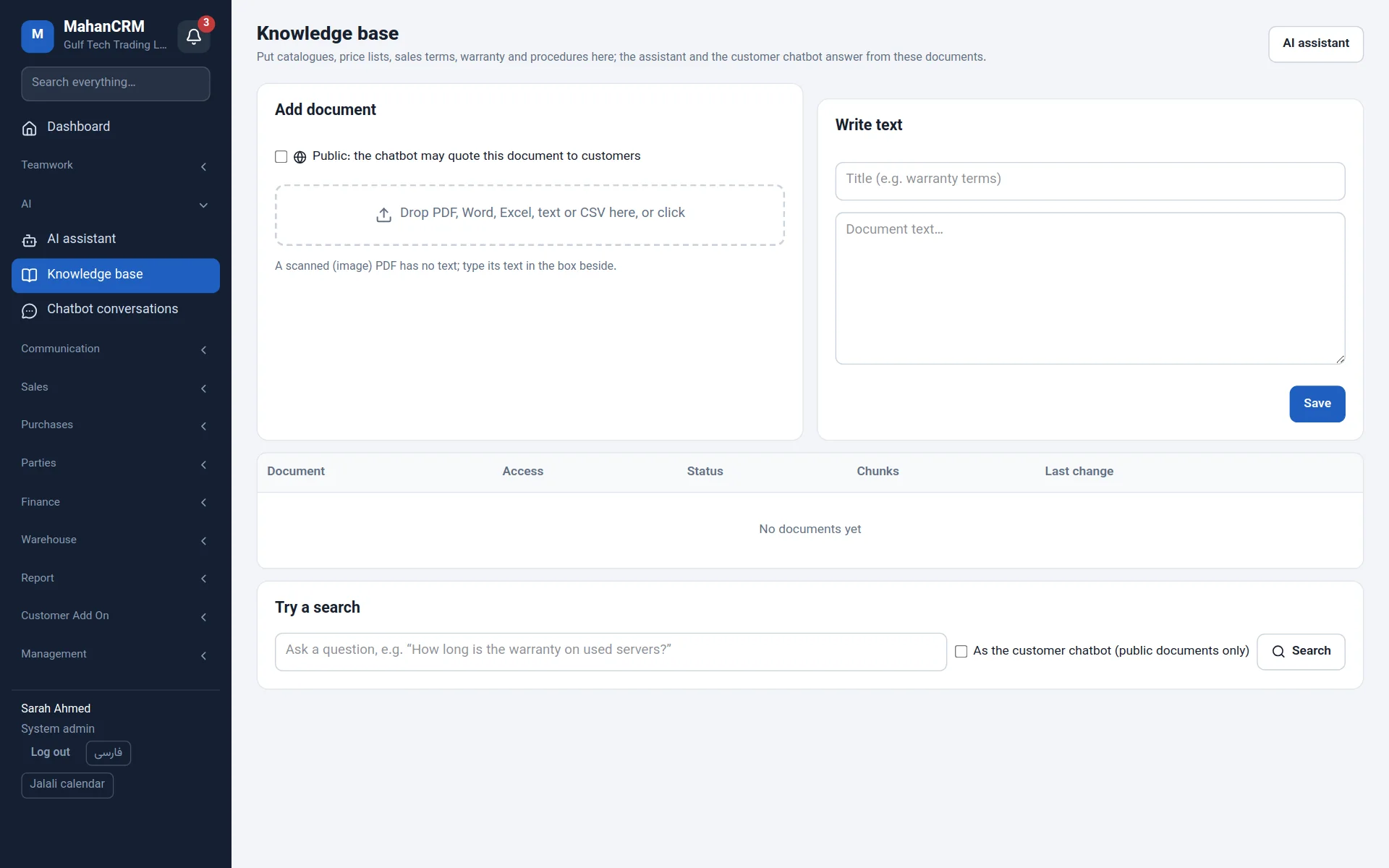
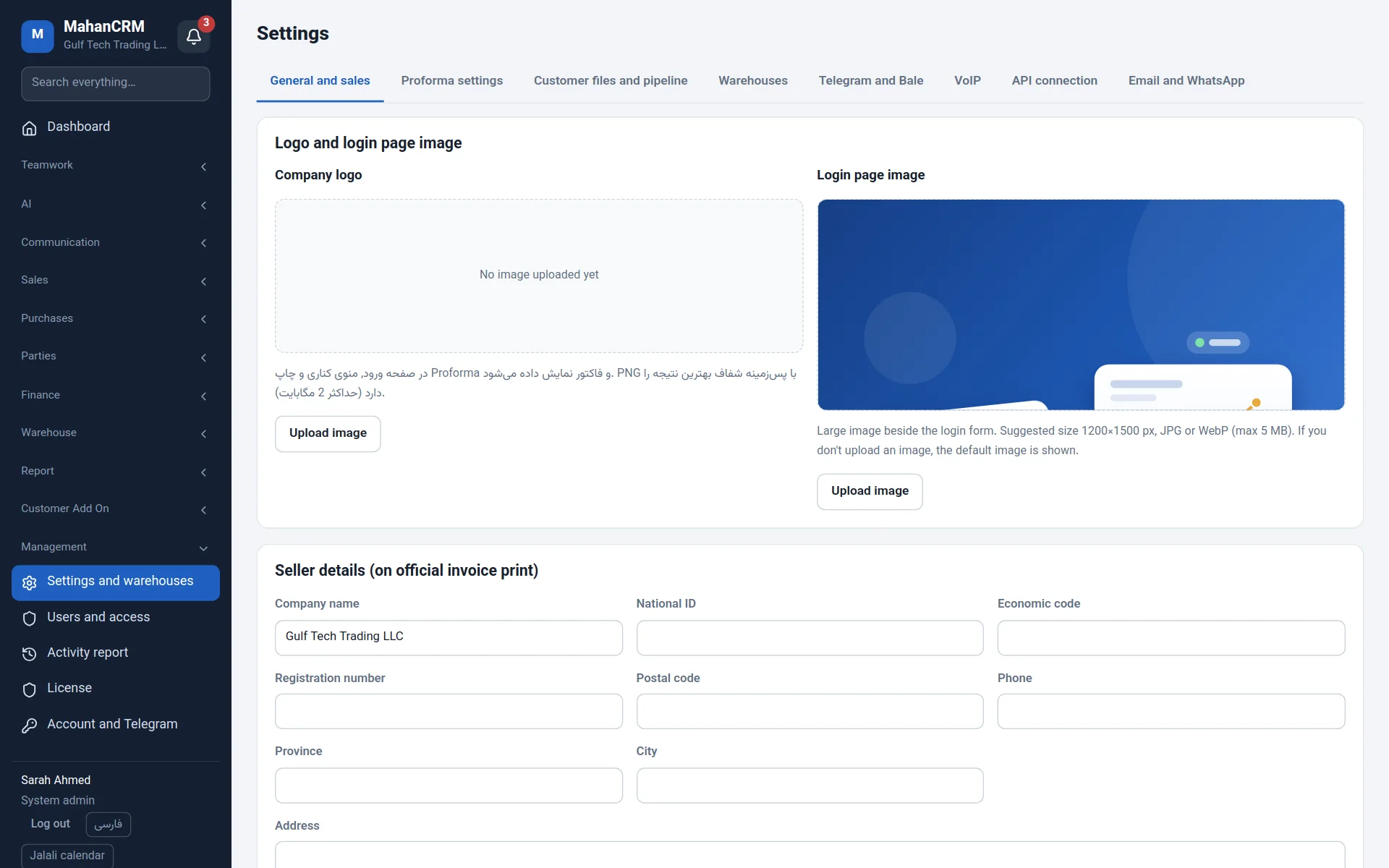
Several companies in one installation, with data separated in the database itself; users pick the company at sign-in.
Each user picks their own cards and shortcuts: today's tasks, birthdays, sales, receivables and more.
Customer requests collected from Telegram groups, broadcasts and task notifications by bot.
Custom modules for a single customer (Customer Add On) without changing the main product; enabled by licence.
Scoped API tokens to connect your website, phone system, AI operator and other software.
Scheduled backups to SFTP/FTP, one-click restore, and updates that roll back by themselves on failure.
Their own customers, deals, quotations, tasks, chat and the caller pop-up.
All customers and deals, the forecast, invoice issuing, reports and the team's tasks.
Receipts, payments, cheques and receivables; products, goods receipts and issues, stock levels.
Users, access groups, companies, modules, integrations, backups and licence.
Each module can be switched on or off per company and granted to each user group separately.
| Installation | Docker on Ubuntu or Debian with one script; on your own server or a cloud server |
|---|---|
| Database | PostgreSQL, with each company's data separated by row-level security |
| Phone systems | Asterisk, FreePBX and Issabel over AMI (1.8 and later); Mahan VOIP and Mahan Phone |
| AI | Local models with Ollama (GPU or CPU) or cloud services; can be switched off |
| Sign-in | Local users or LDAP / Active Directory; server-side sessions |
| Interface | English and Persian, Gregorian and Persian calendars, light and dark themes, mobile layout |
| Backups | Daily database and file backups, copies to SFTP/FTP, restore from Settings |
| Technology | Next.js, Node.js, PostgreSQL |
One script installs it on a Linux server with Docker — or the Mahanet team installs it for you.
sudo ./scripts/server-setup.shImport products from Excel, add customers, and create users and access groups.
Excel · LDAPConnect your phone system, Telegram bot, email, WhatsApp and AI from Settings.
AMI · Bot · SMTP · AIOn your own server. Mahan CRM is installed on your company's server or a cloud server you choose, and your data isn't sent anywhere else.
Yes. Set the access group's customer scope to "own customers only"; the database itself enforces it, and a file can still be shared with a named colleague.
Yes. Mahan CRM connects to Asterisk, FreePBX and Issabel over AMI and shows each incoming call on the screen of the user with that extension.
It doesn't have to. The assistant, knowledge base and summaries can run on a local model on your own server. Cloud services are optional and chosen per task.
Yes. Each company has its own data and shared users choose the company at sign-in. Exchange rates and team chat are shared across companies.
Yes. Products import from Excel, and the Mahanet team moves your customers and data from your current system.
Yes. Each user picks English or Persian and the Gregorian or Persian calendar, and quotations and invoices print in English in AED, USD or IRR.
Fill in the form and the interactive Mahan CRM demo opens straight away; a Mahanet specialist will then contact you for a live demo.