Live monitoring
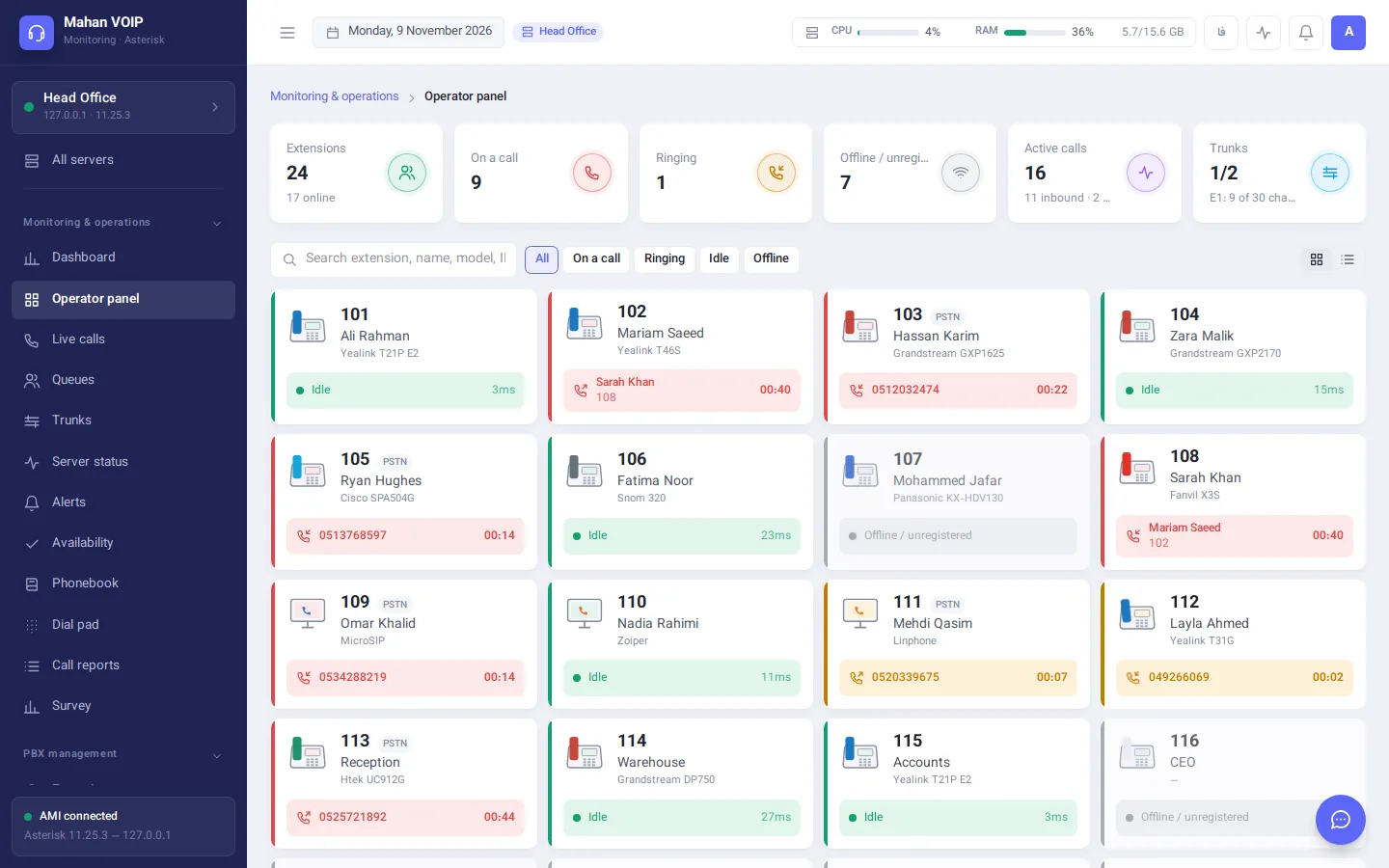
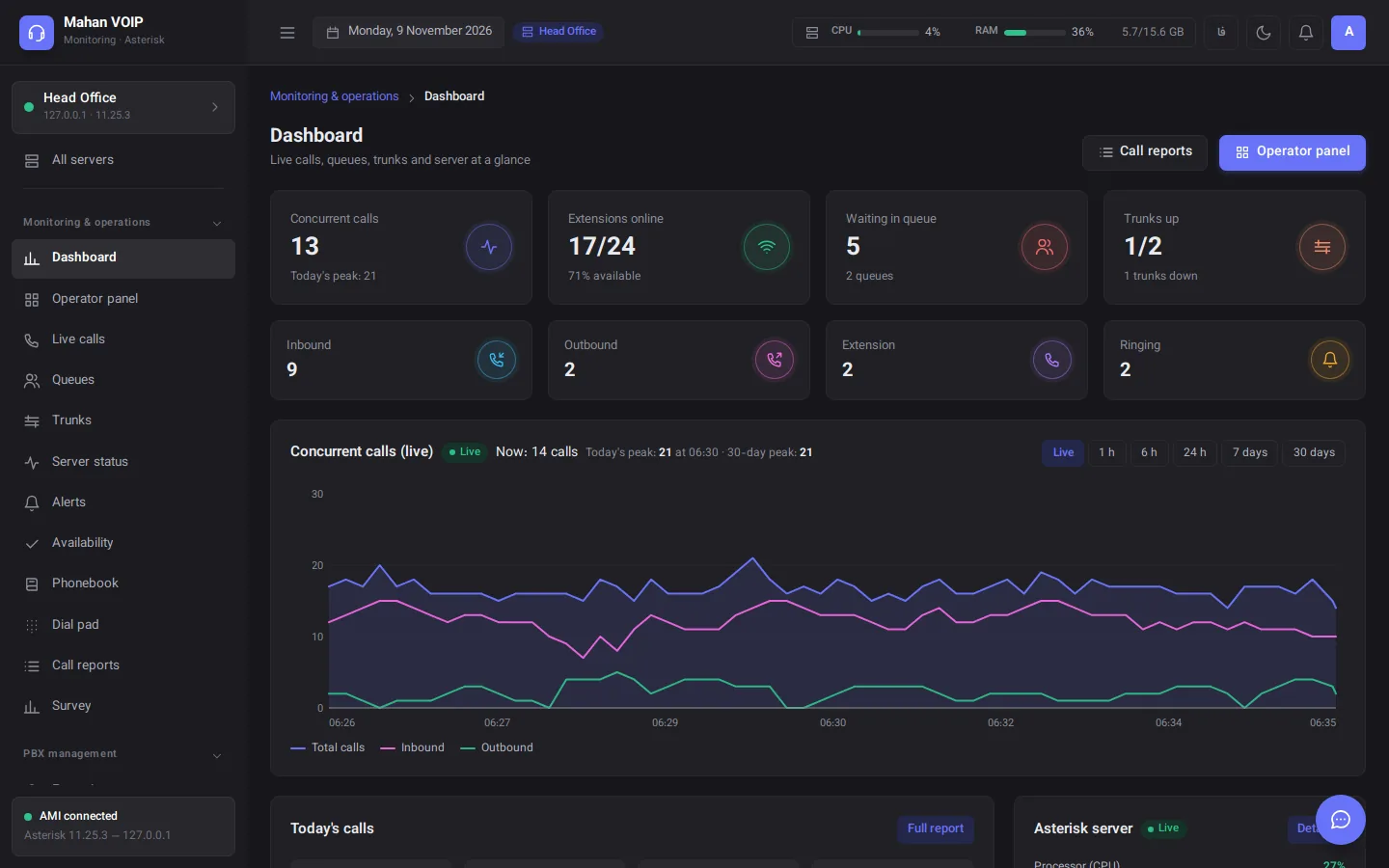
An operator board with every extension's phone model, live calls, queues, trunks and a concurrent-calls chart — all in real time.
Mahan VOIP is a web panel for monitoring, reporting and managing Asterisk and FreeSWITCH phone systems — from the operator board and live calls to alerts, a visual IVR designer, a browser phone and a branded softphone. For one server or dozens.
Works with the phone systems you already run:
From the operator board and reports to PBX management, the IVR designer, the AI operator, PBX migration, the softphone and Microsoft Teams.
Mahan VOIP connects to your existing phone server without changing your infrastructure. It gives you a live, complete picture of calls, agents, trunks and server health — and manages the PBX itself wherever you need it.
An operator board with every extension's phone model, live calls, queues, trunks and a concurrent-calls chart — all in real time.
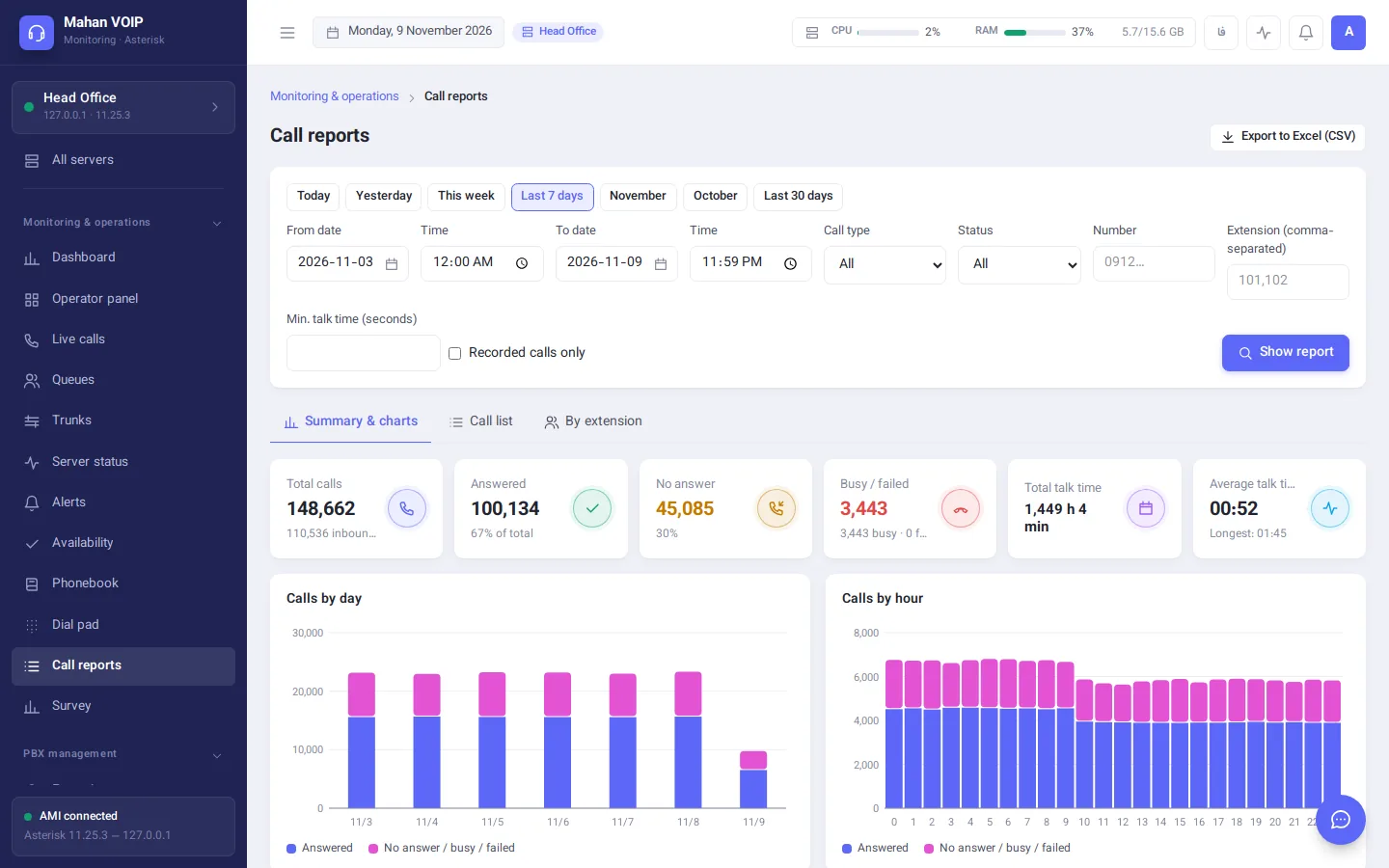
Daily and hourly charts, per-extension statistics, top numbers, call recording playback and Excel export.
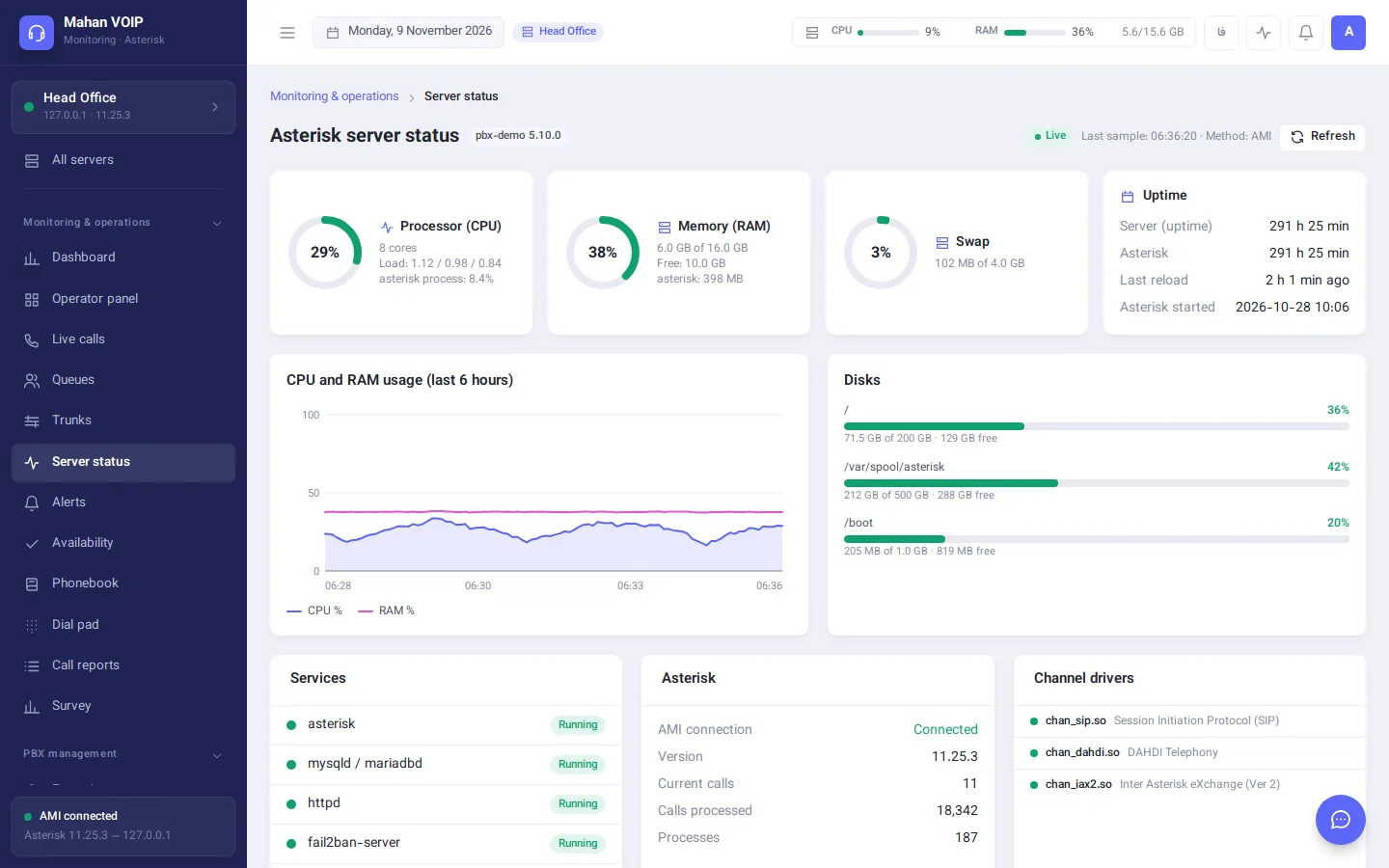
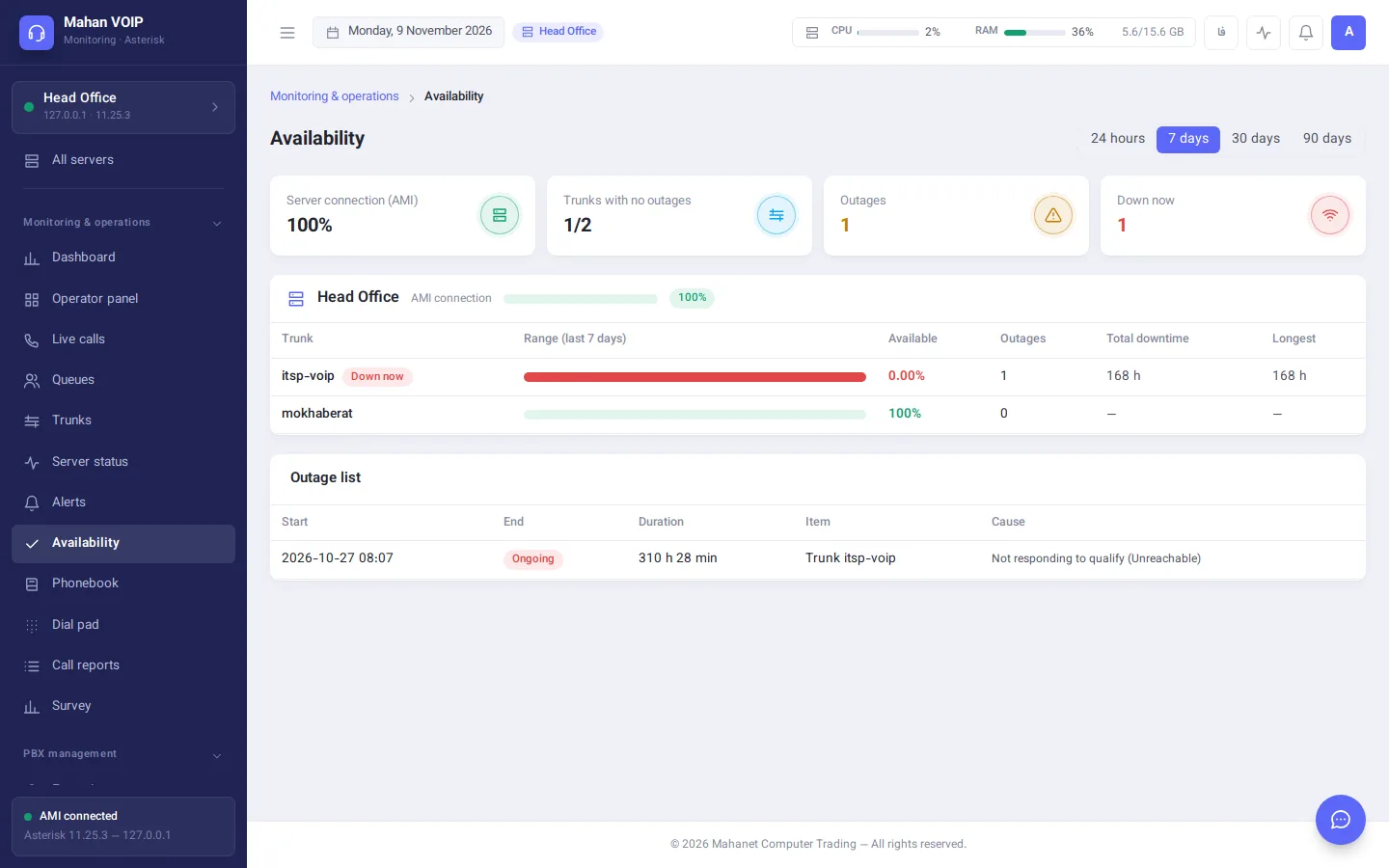
Trunk down, server unreachable or disk filling up — in the panel, on Telegram and by email. Uptime reports and a health score.
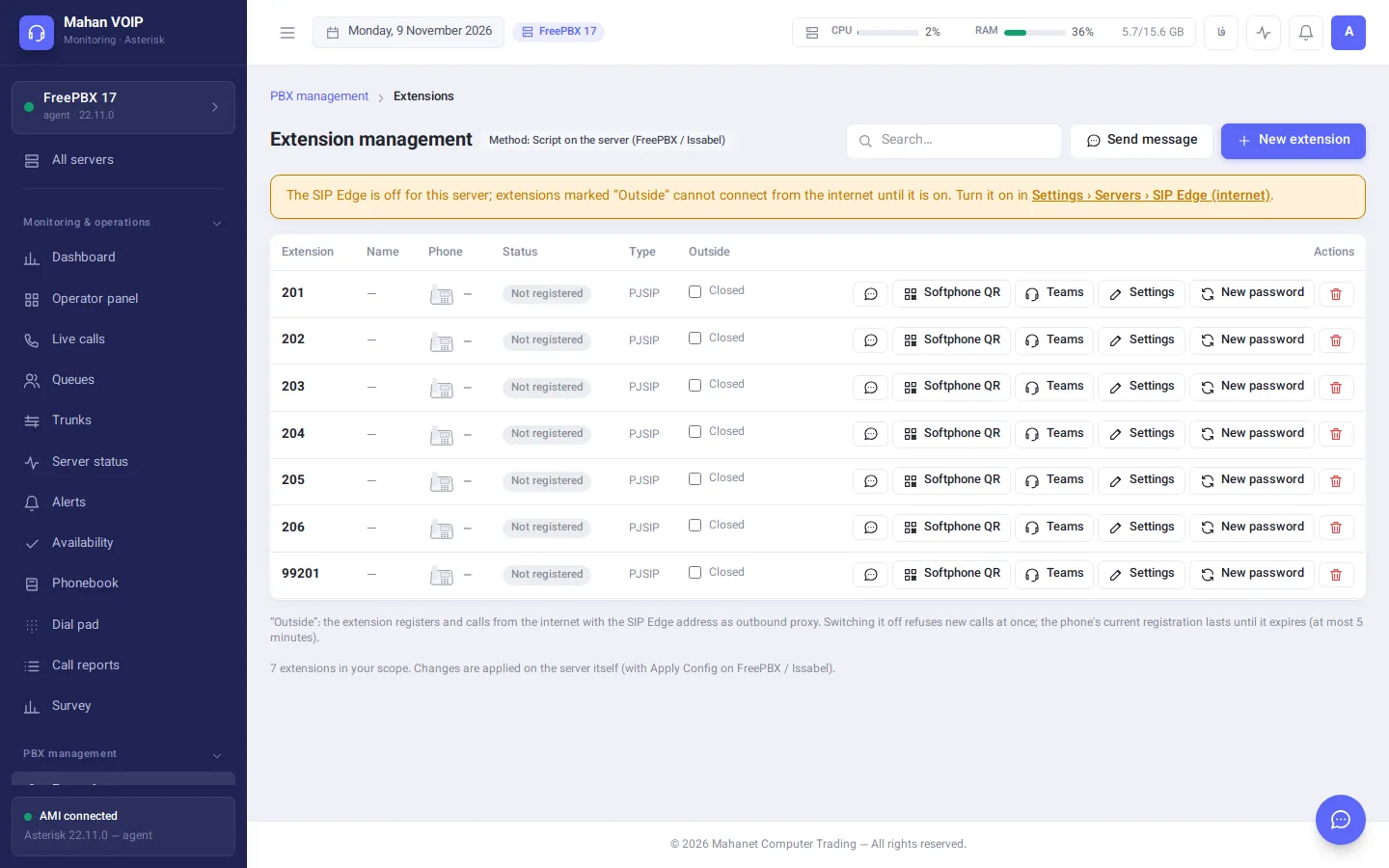
Extensions, trunks, inbound and outbound routes, queues, ring groups and time conditions on FreePBX, Issabel and FusionPBX.
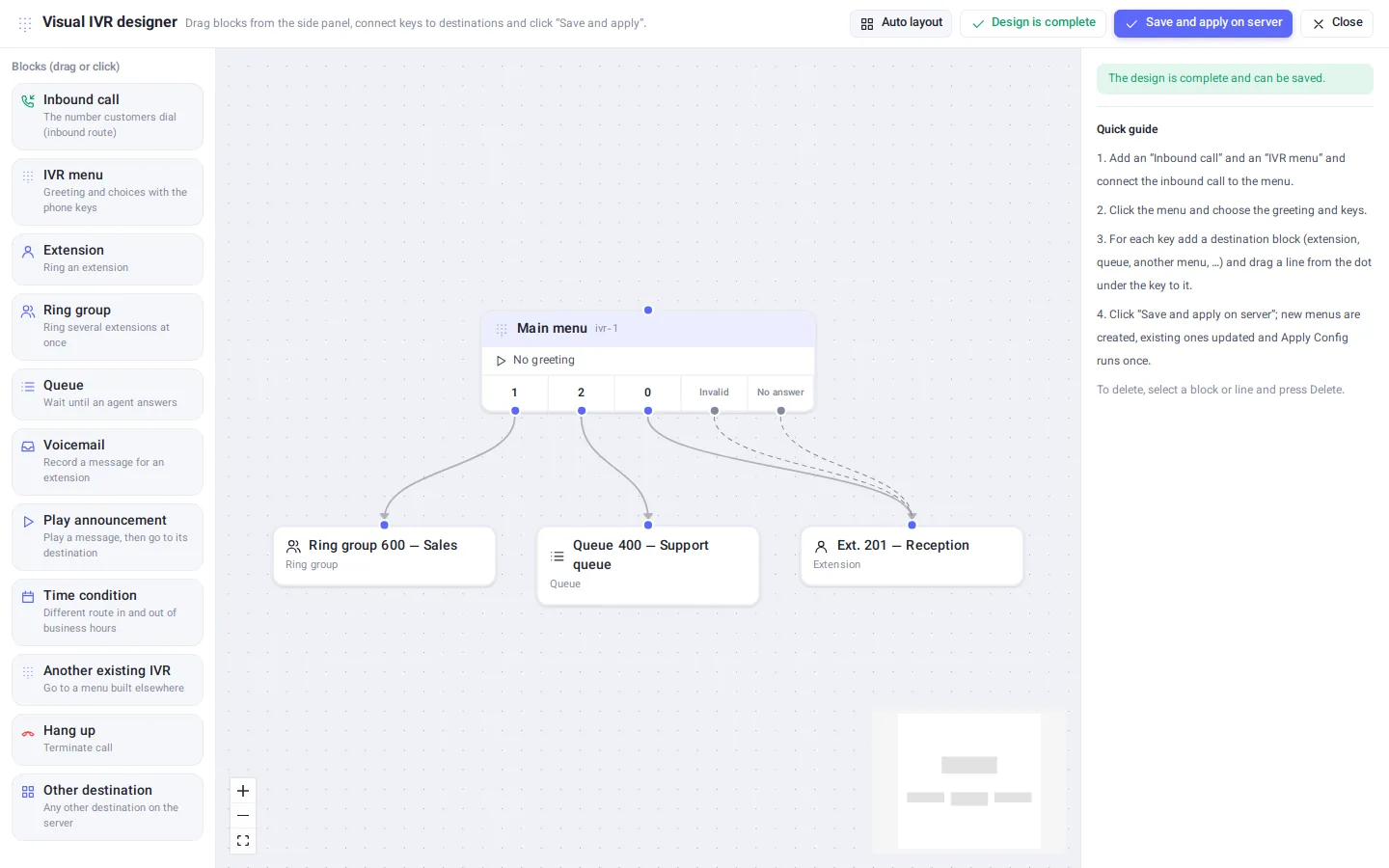
Build voice menus as a drag-and-drop flow chart and apply the whole design to the server in one step.
A branded app for Android, iOS and Windows that sets itself up from one QR code — inside the office or on the road.
Access groups scoped to extension ranges, Active Directory sign-in, a full audit log and a secure agent that needs no open ports.
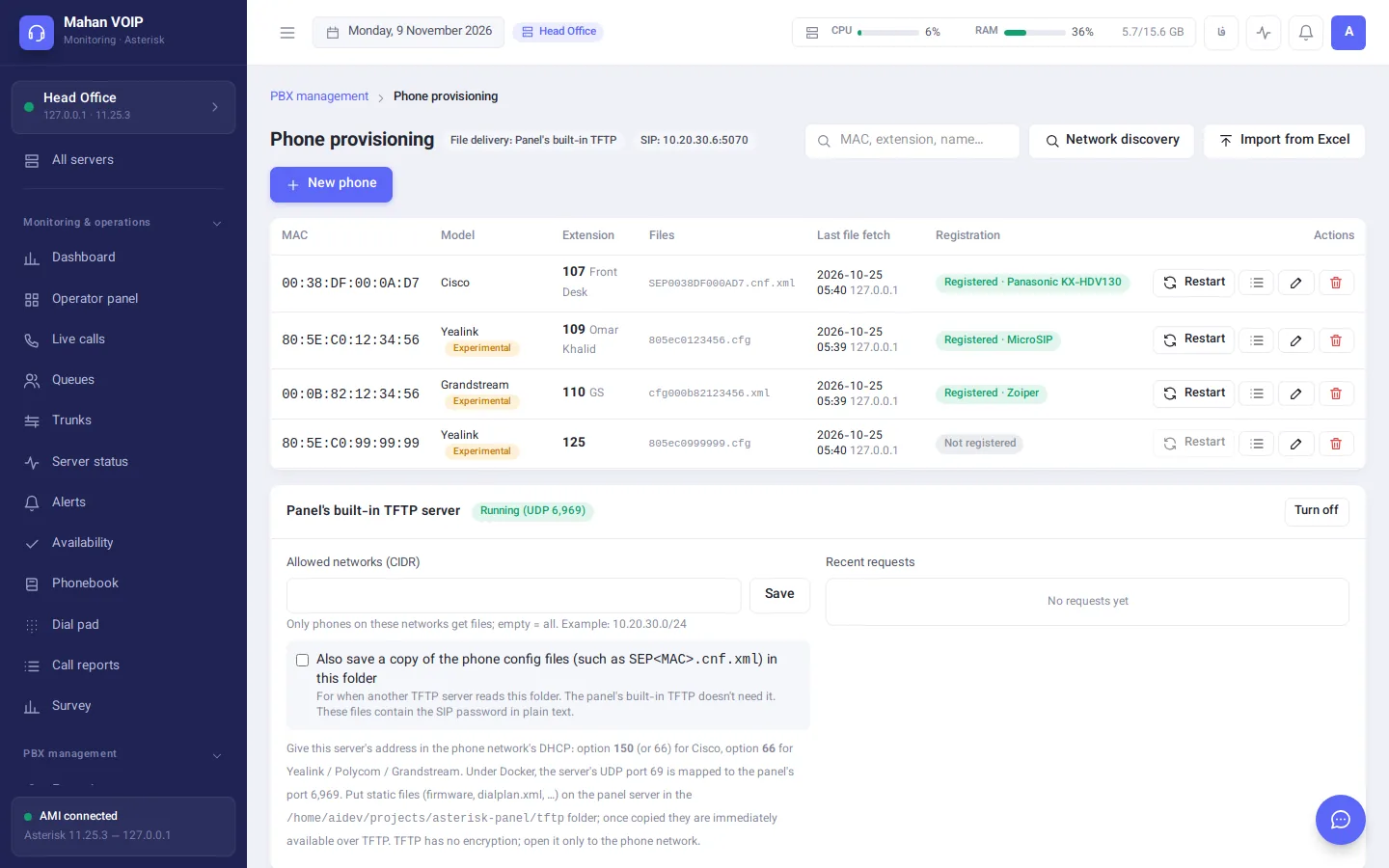
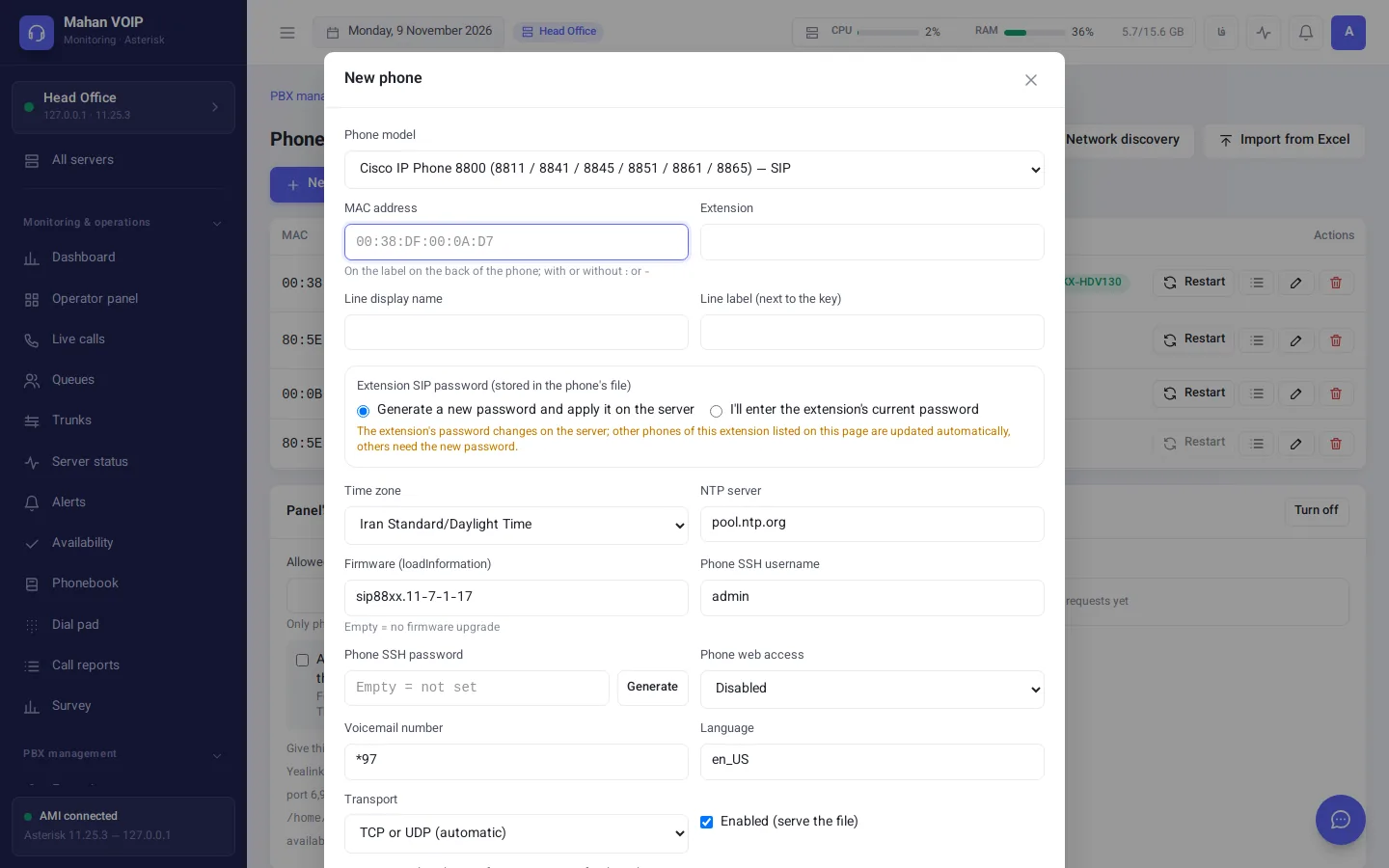
Config files for Cisco, Polycom, Yealink and Grandstream, a built-in TFTP server, Excel import and network discovery.
Type “create extensions 600 to 610” or “trunk status” — the assistant does it and asks for confirmation before every change.
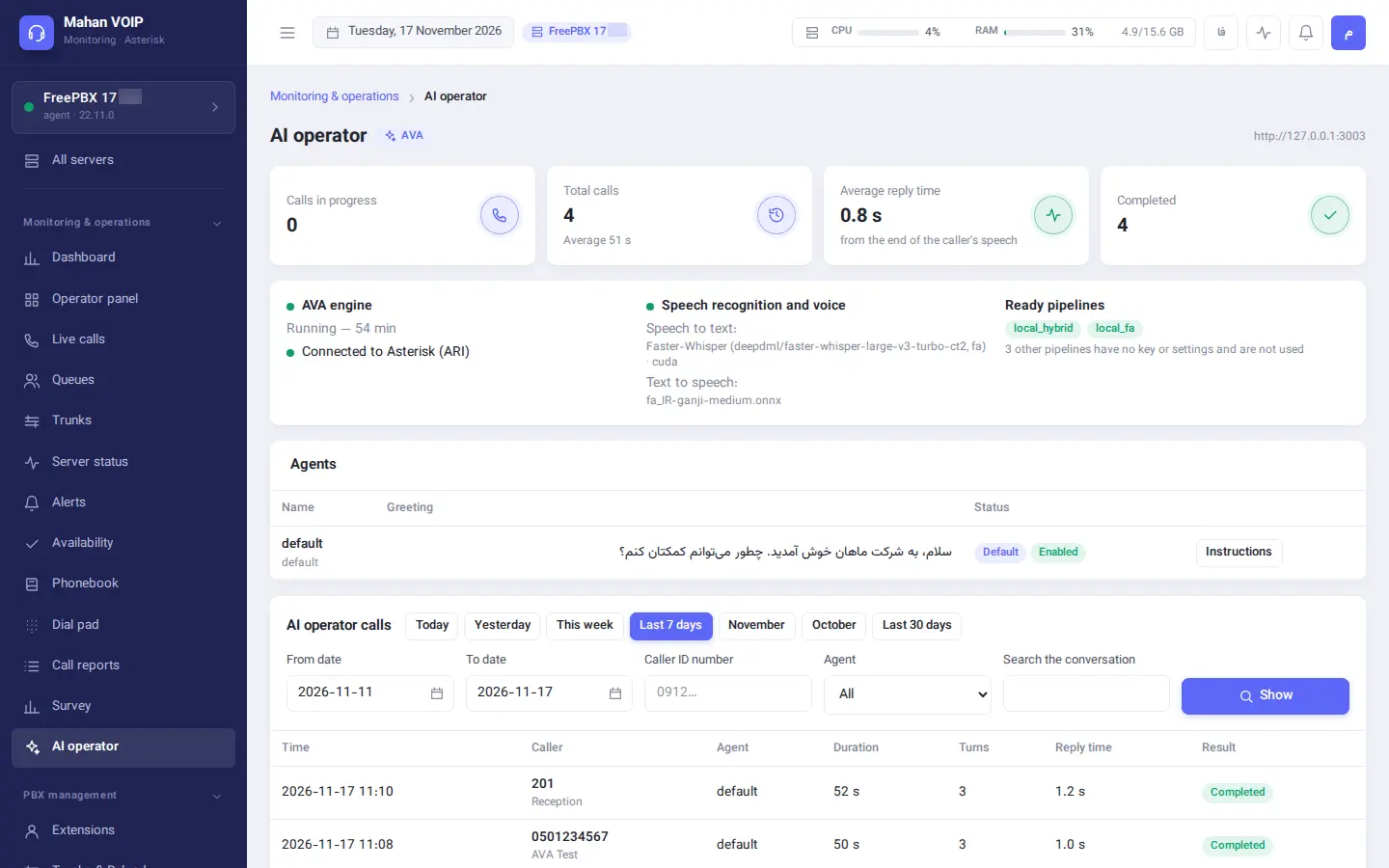
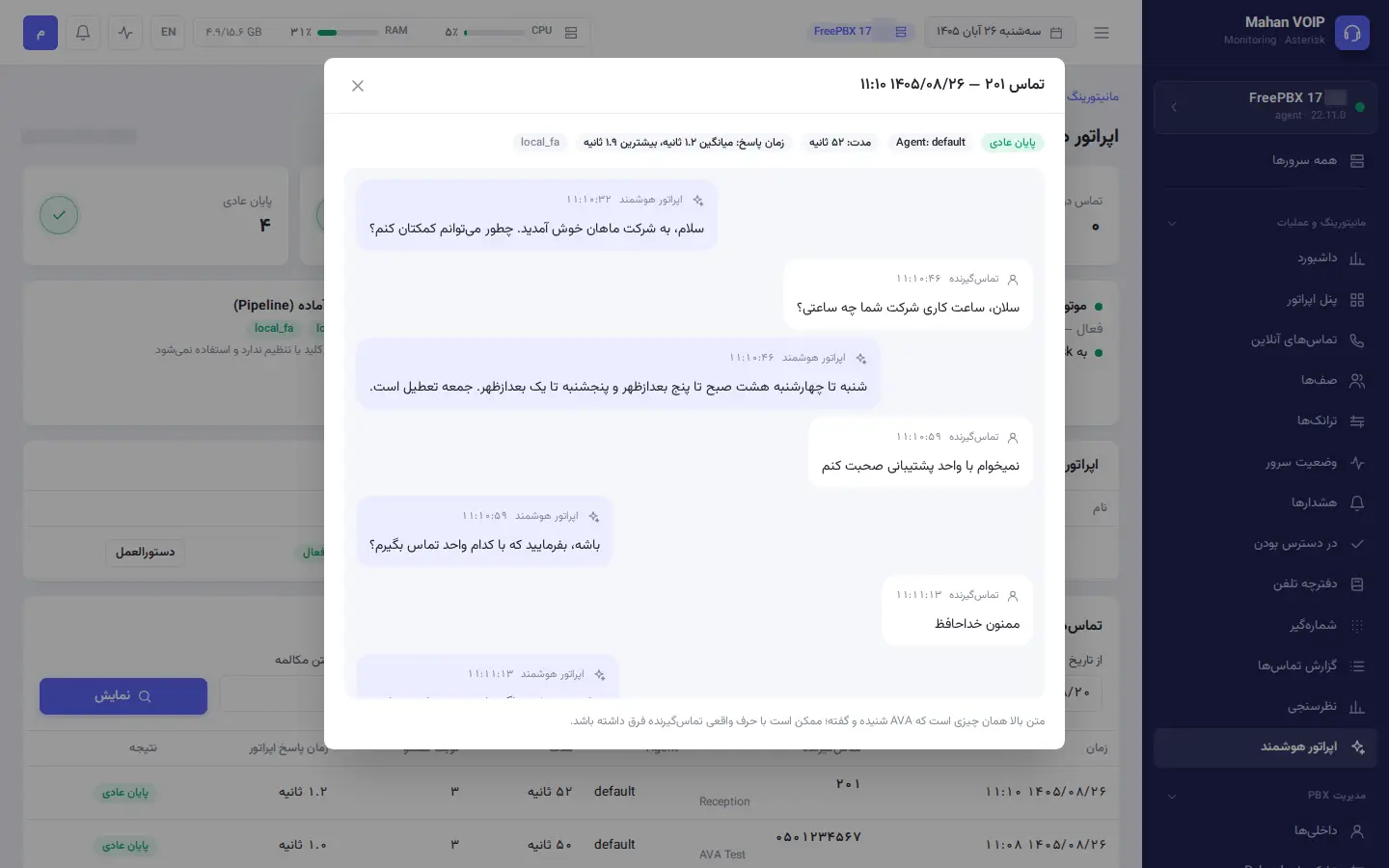
An AI phone operator that answers calls, puts callers through to the right extension or queue and logs every call in the CRM.
Move from an old phone server to a new FreePBX: extensions, trunks, routes, IVRs, queues, sounds, call recordings and call records — with a dry run and undo.
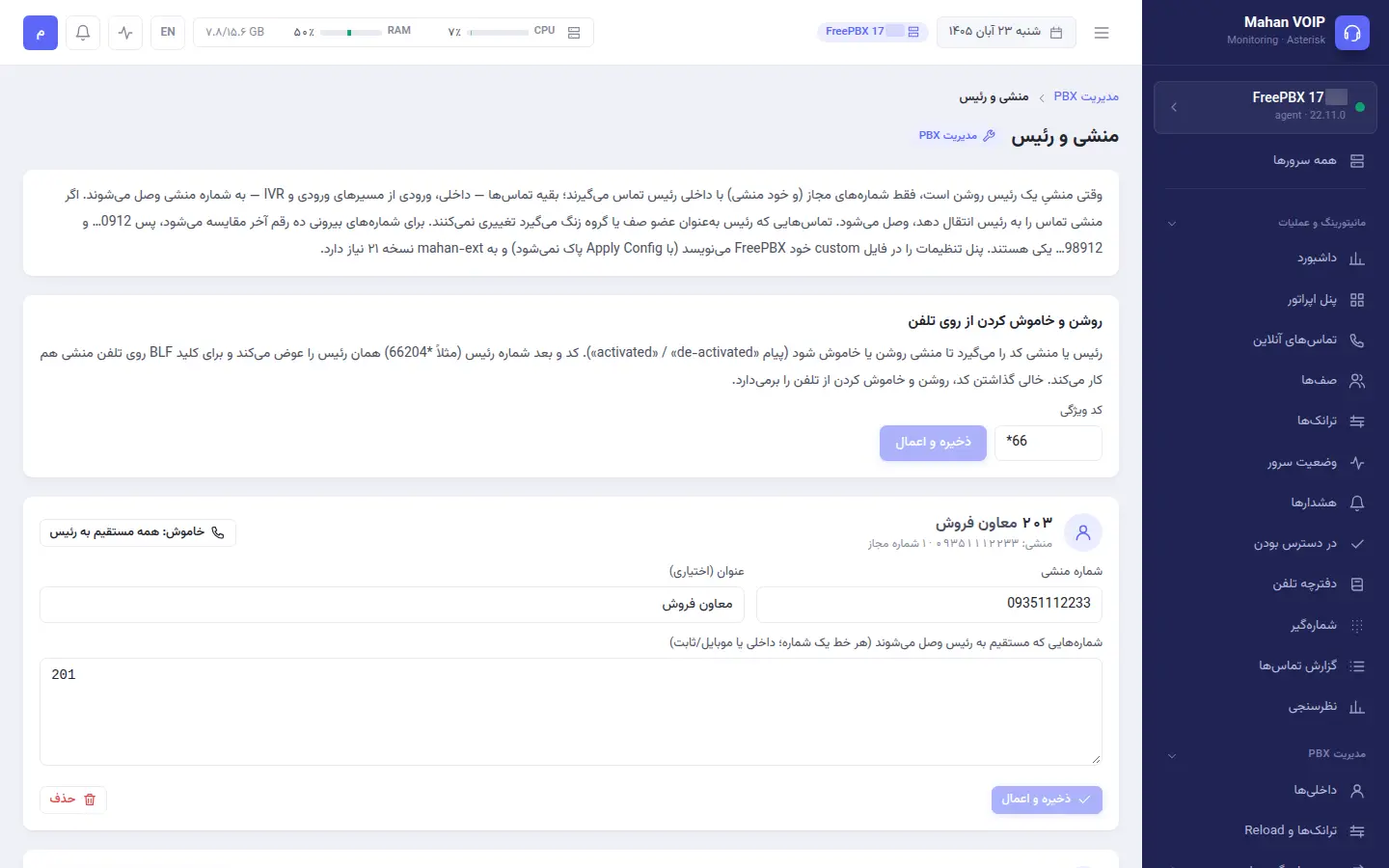
Only allowed numbers reach the manager directly; everyone else goes to the secretary. Switch it on and off in the panel or with *66 on the phone.
Screenshots are from a demo system with sample data. Click any image to enlarge it.
Every extension is a card with its phone model, IP, latency, live state and who it's talking to.
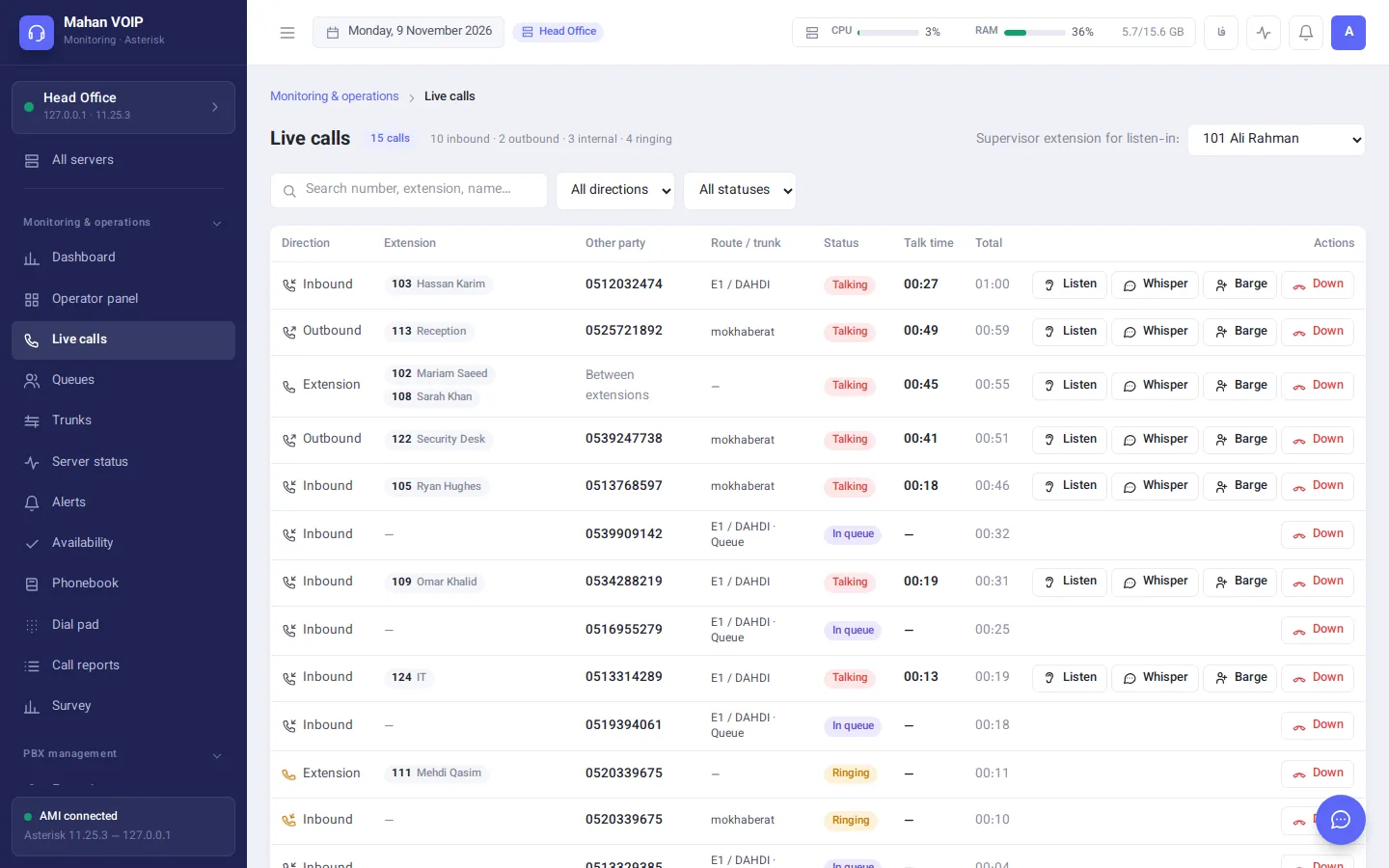
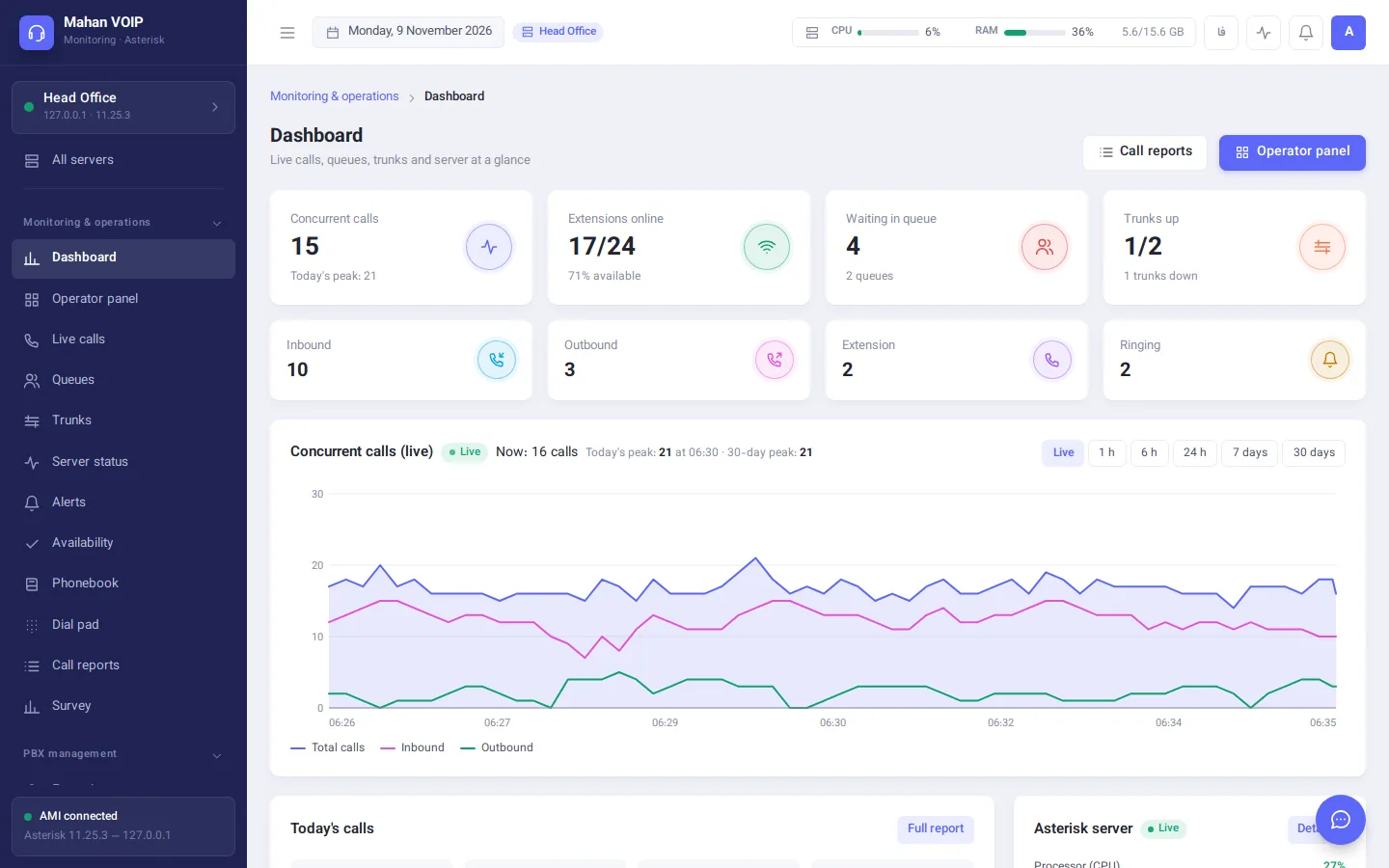
Service level for every queue and the state of every line, without opening the server console.
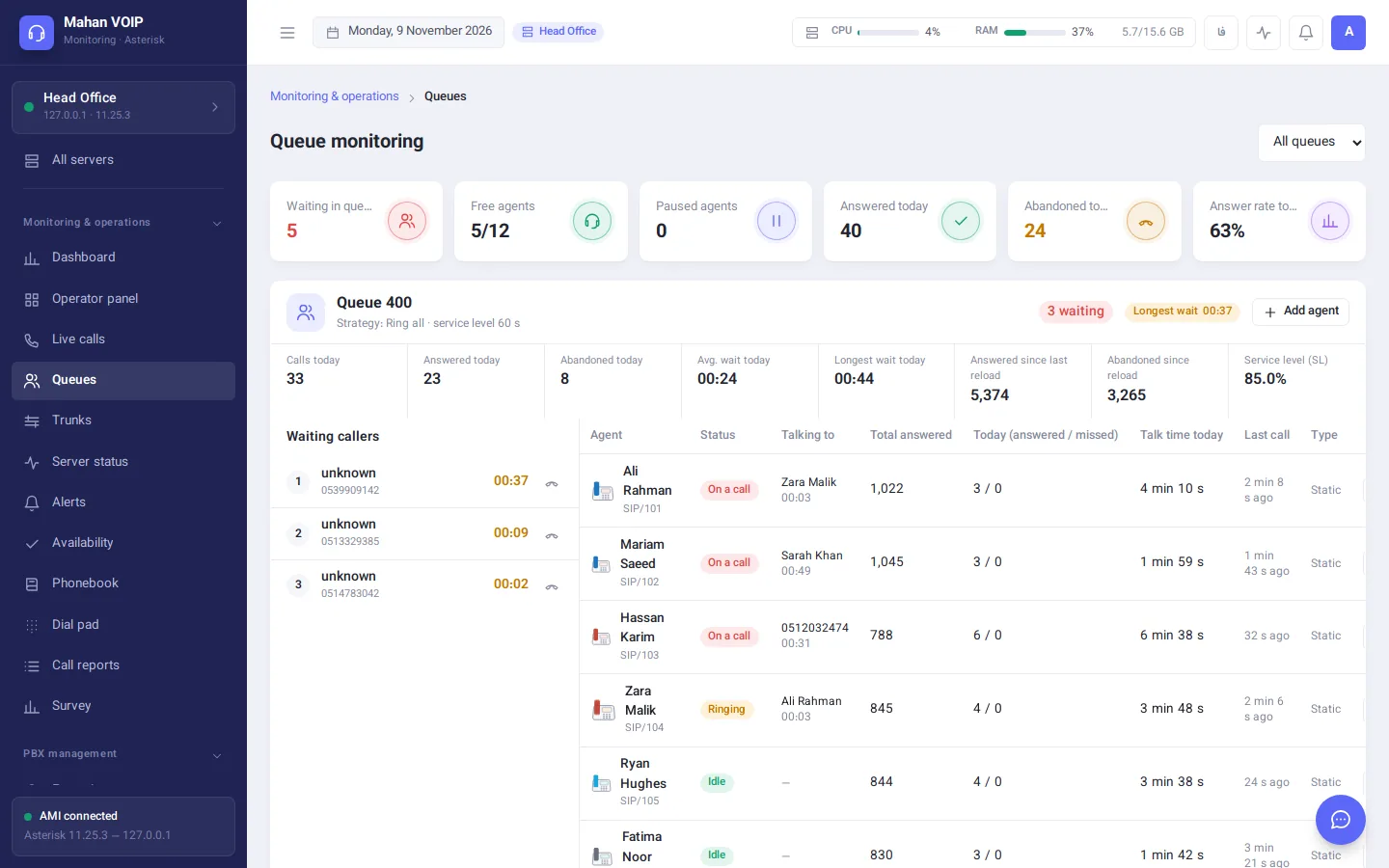
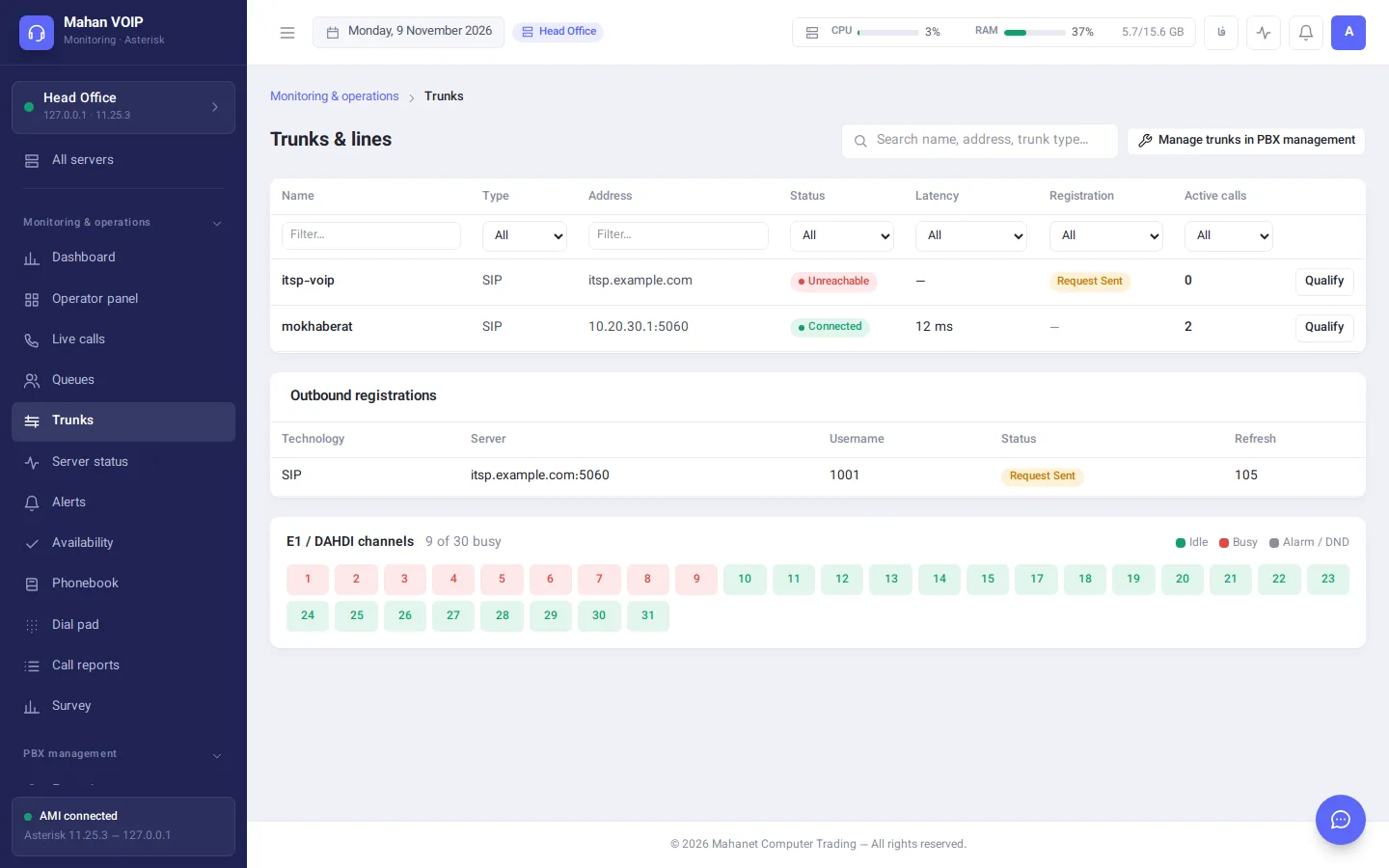
Reports read the server's own CDR database, and each user only sees the extensions they're allowed to.
One message when something goes down, one when it's back, with the outage length — never a flood of repeats.
Changes go through FreePBX, Issabel and FusionPBX's own functions, so the server's native GUI always stays in sync.
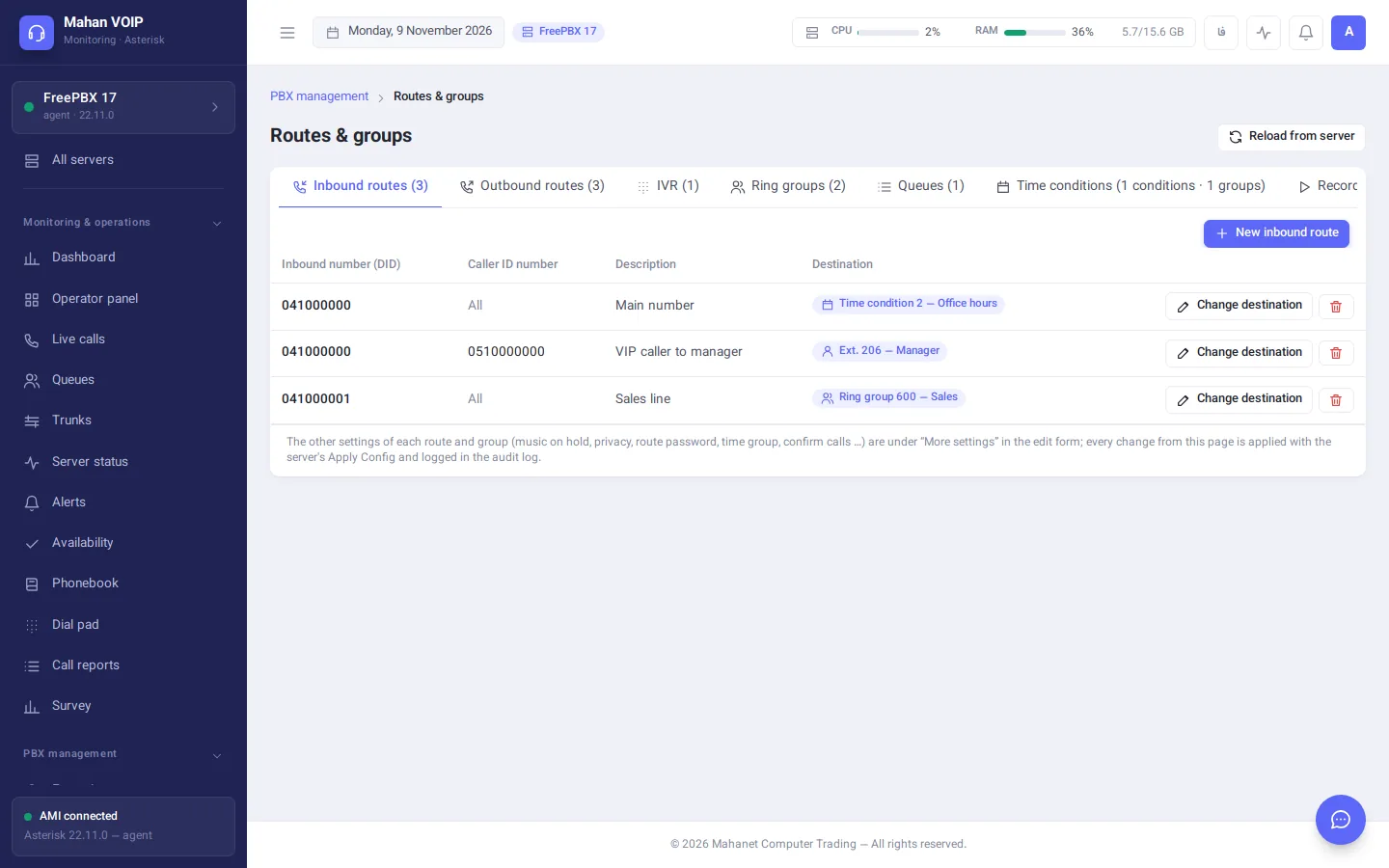
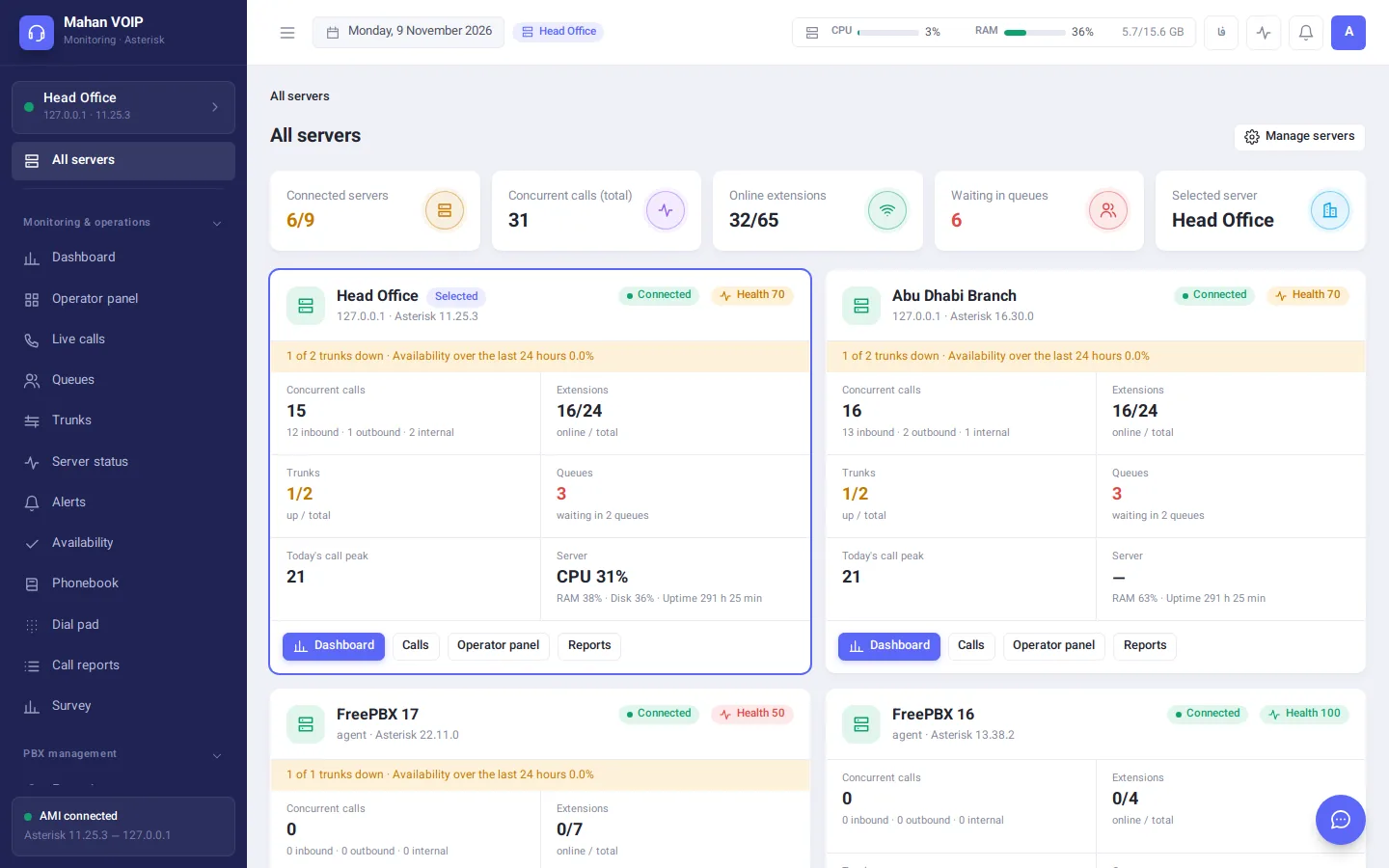
Different servers — even different PBX types — side by side. Built for multi-site companies and VoIP service providers.
Connect the inbound call, voice menus and destinations like a workflow, then apply the whole design to the server in one step.
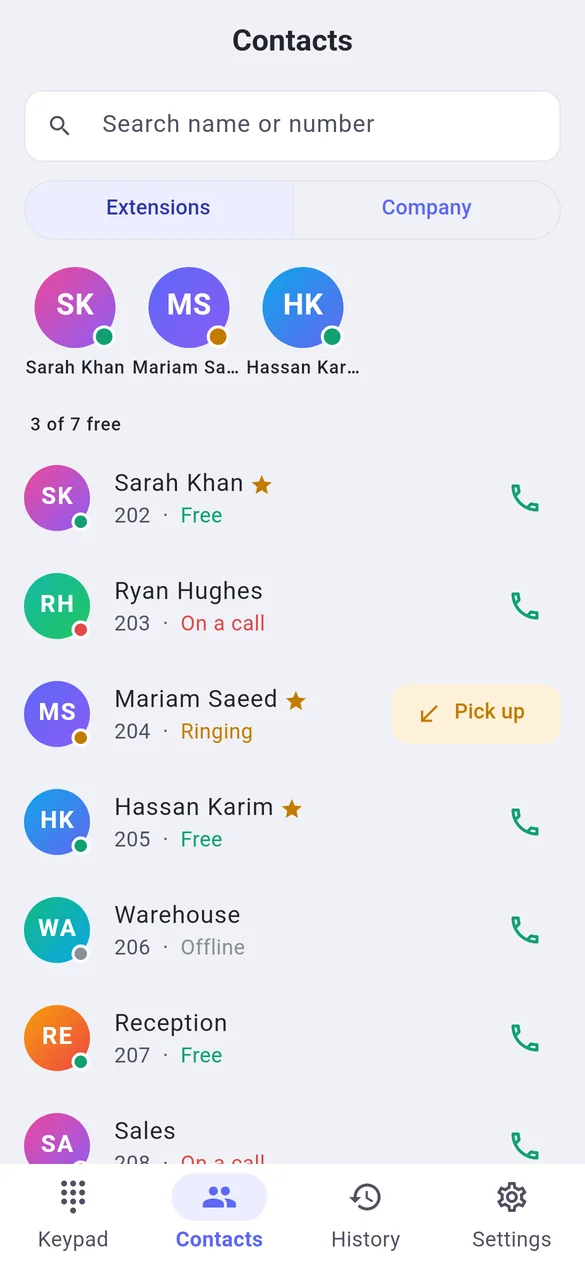
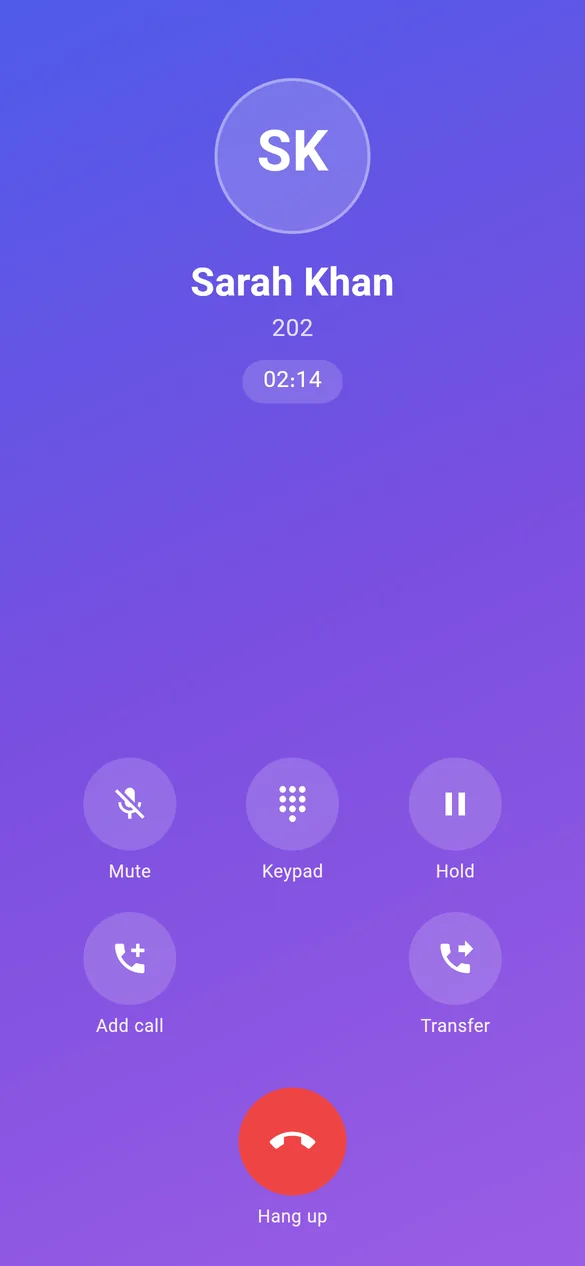
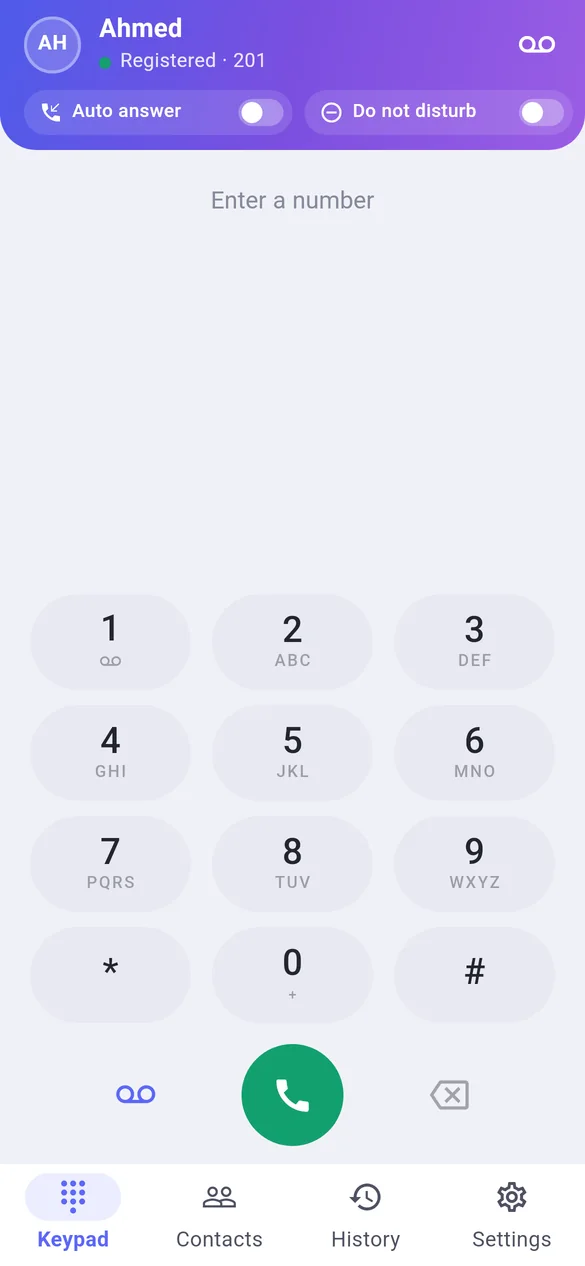
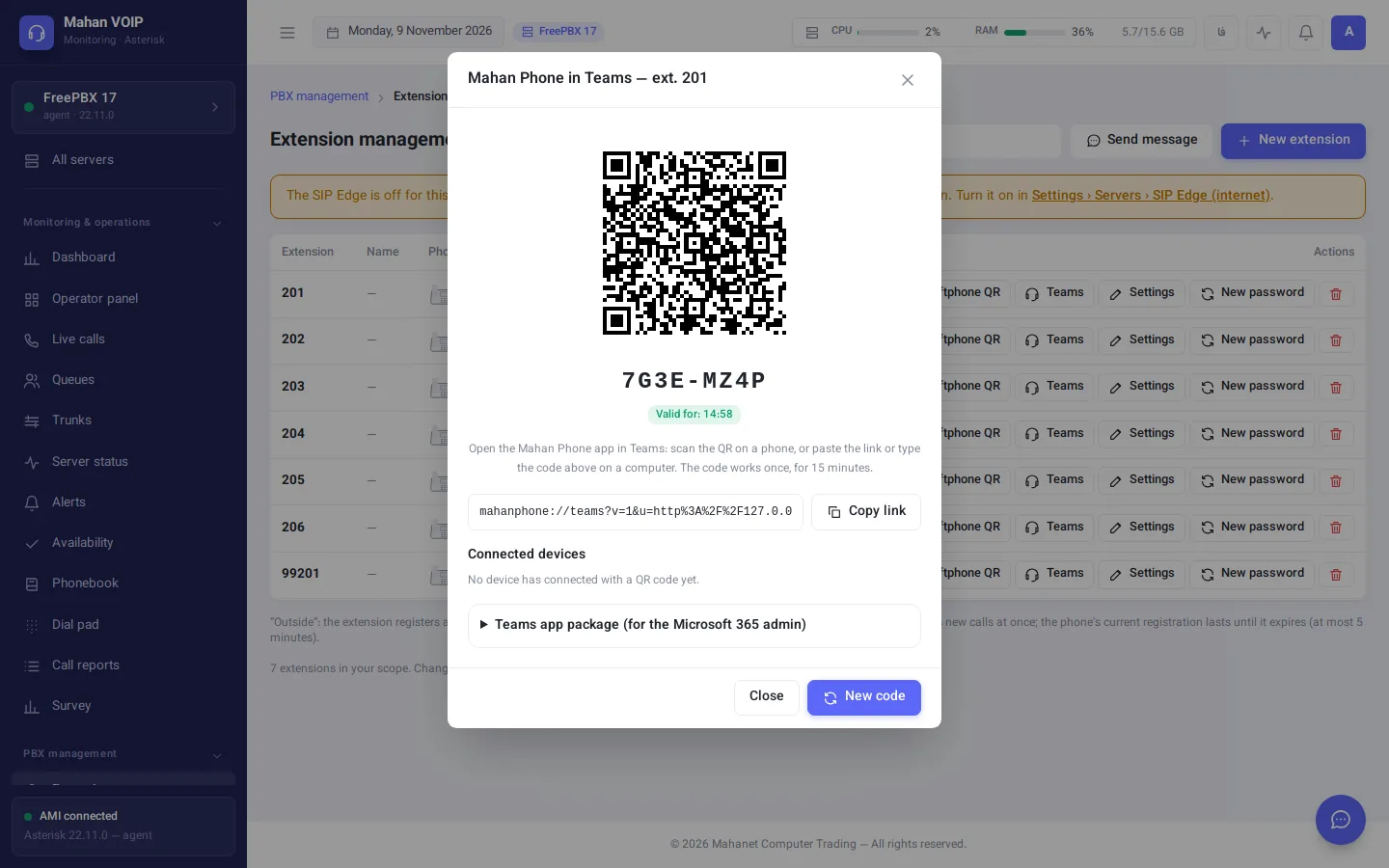
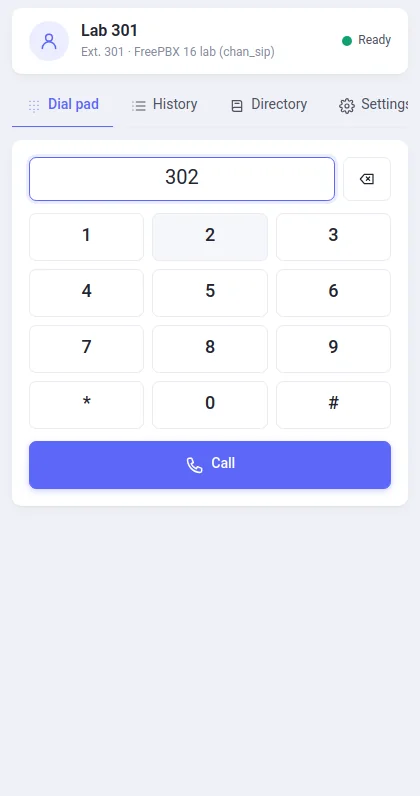
Mahan Phone is the softphone built for Mahan VOIP. Staff scan one QR code from the panel and their extension is ready — no passwords to type, no SIP settings to explain.
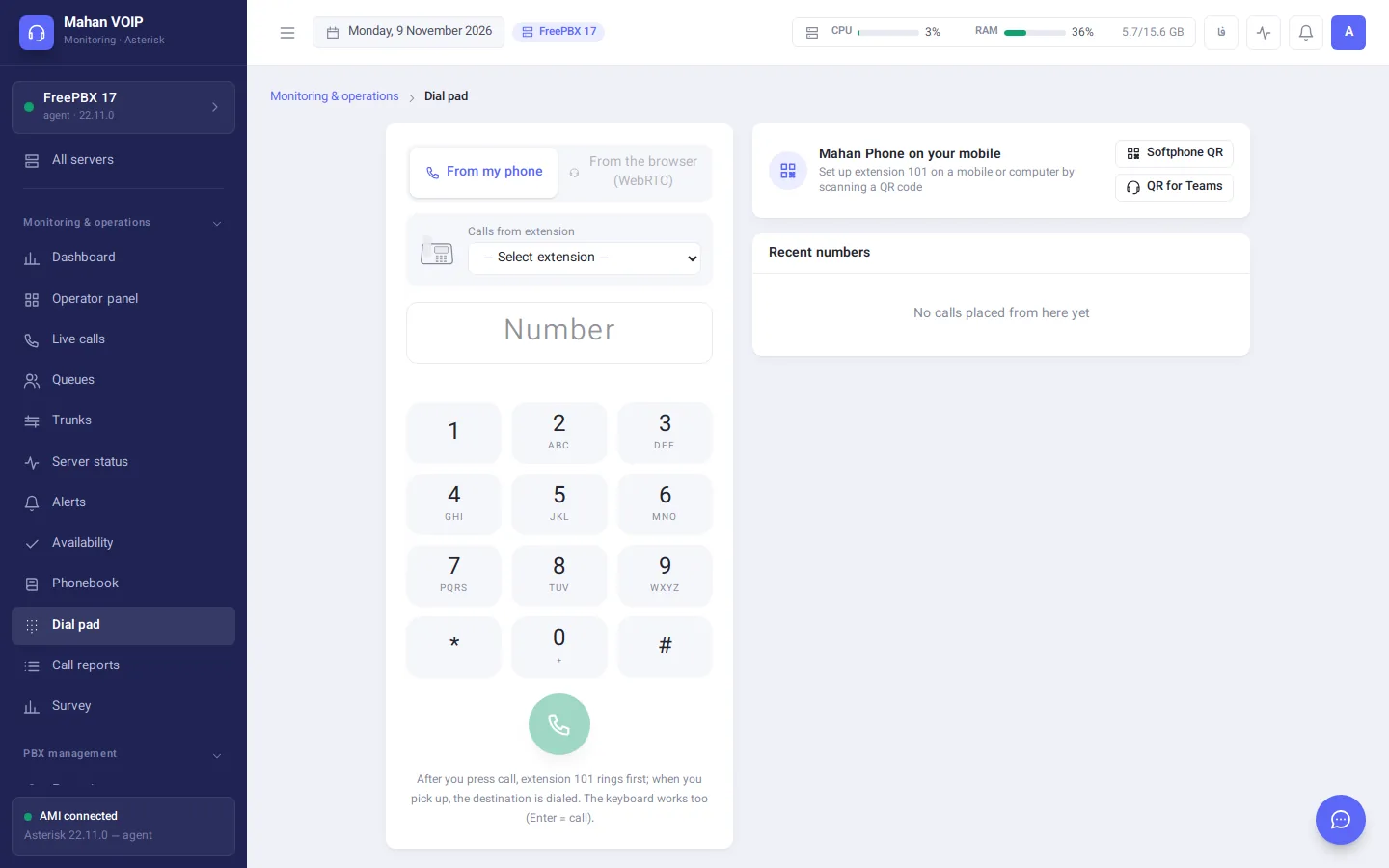
No install: call and answer straight from the panel with your computer's microphone and speakers. Audio is encrypted with DTLS-SRTP.
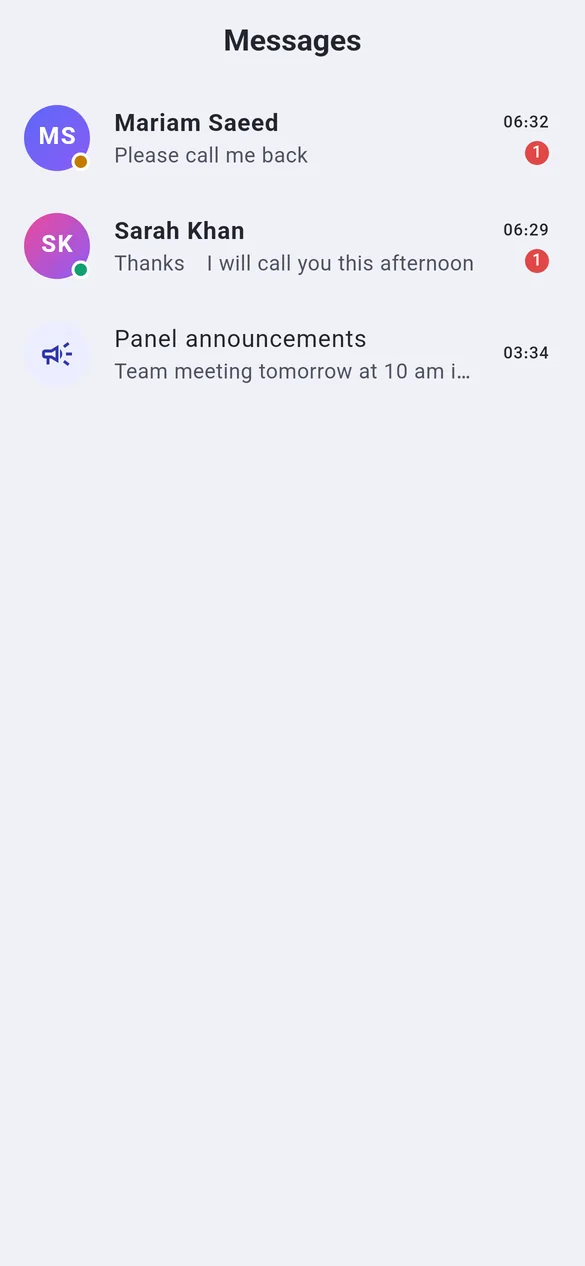
Admins message one, several or all extensions from the panel, and colleagues chat with each other in Mahan Phone.
The Mahan Phone app for Teams is a personal tab that runs each user's extension inside Teams — no Teams Phone licence and no Direct Routing required.
Each phone's config file is built from its model, MAC and extension, and the panel delivers it to the phone itself — for ten phones or a thousand.
The AI operator (AVA) answers calls, handles common questions and puts callers through to the right team. It can run entirely on your own servers, so no audio has to leave your network.
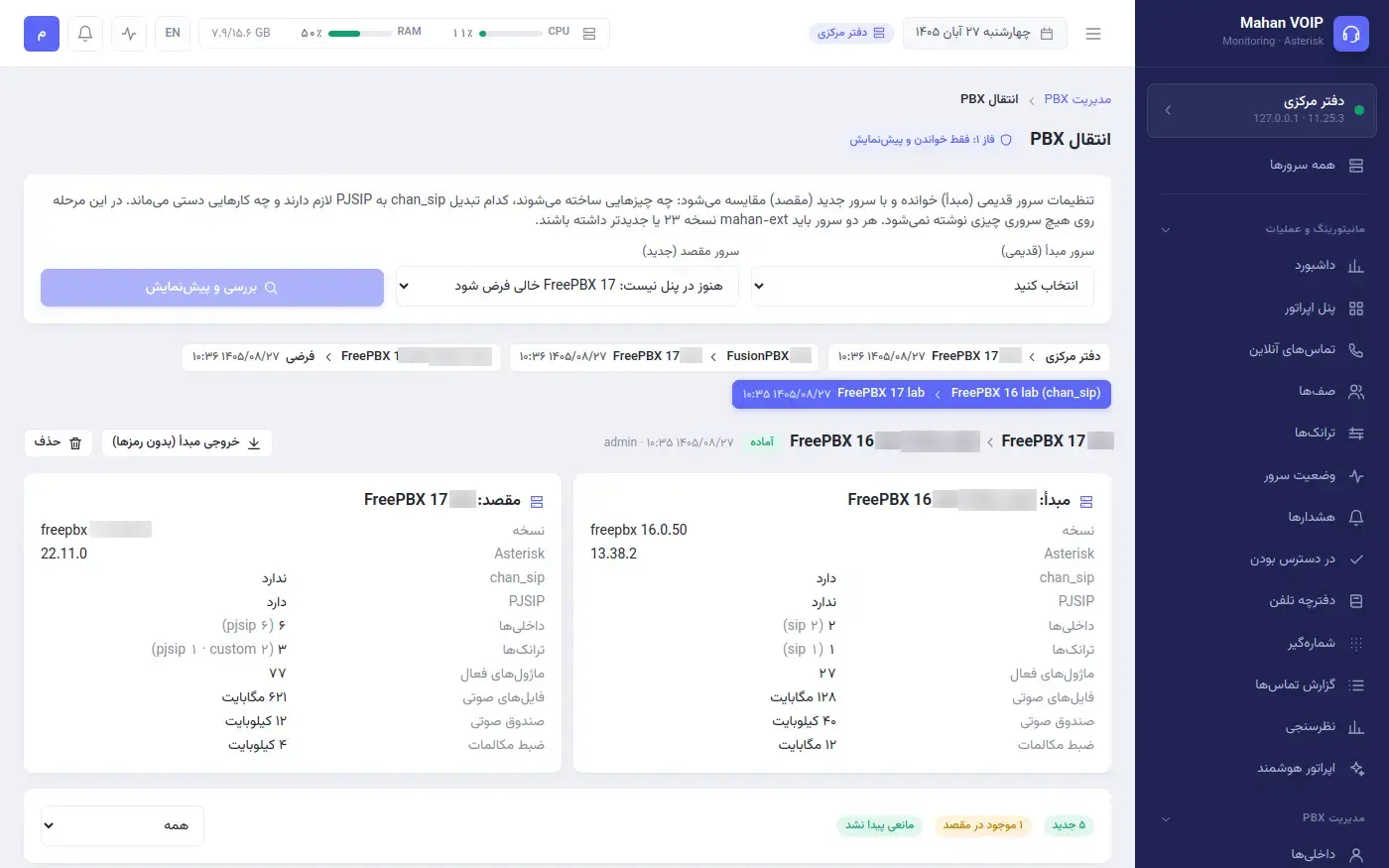
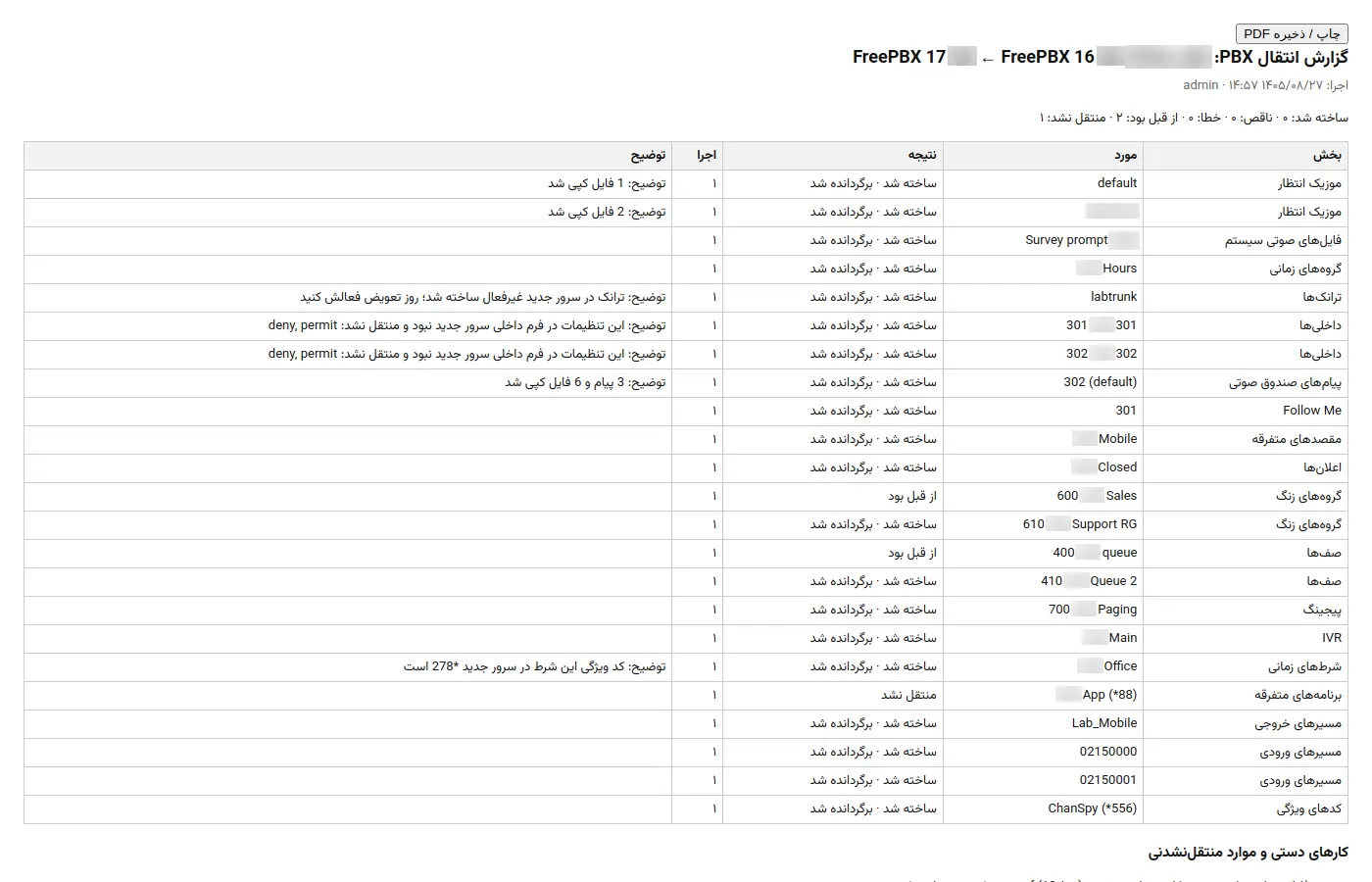
Move from an older FreePBX or Issabel to a new FreePBX from inside the panel — no manual copying.
A secretary (extension or mobile) and an allow-list for each manager; transfers from the secretary reach the manager, and a BLF key on the secretary's phone shows the state.
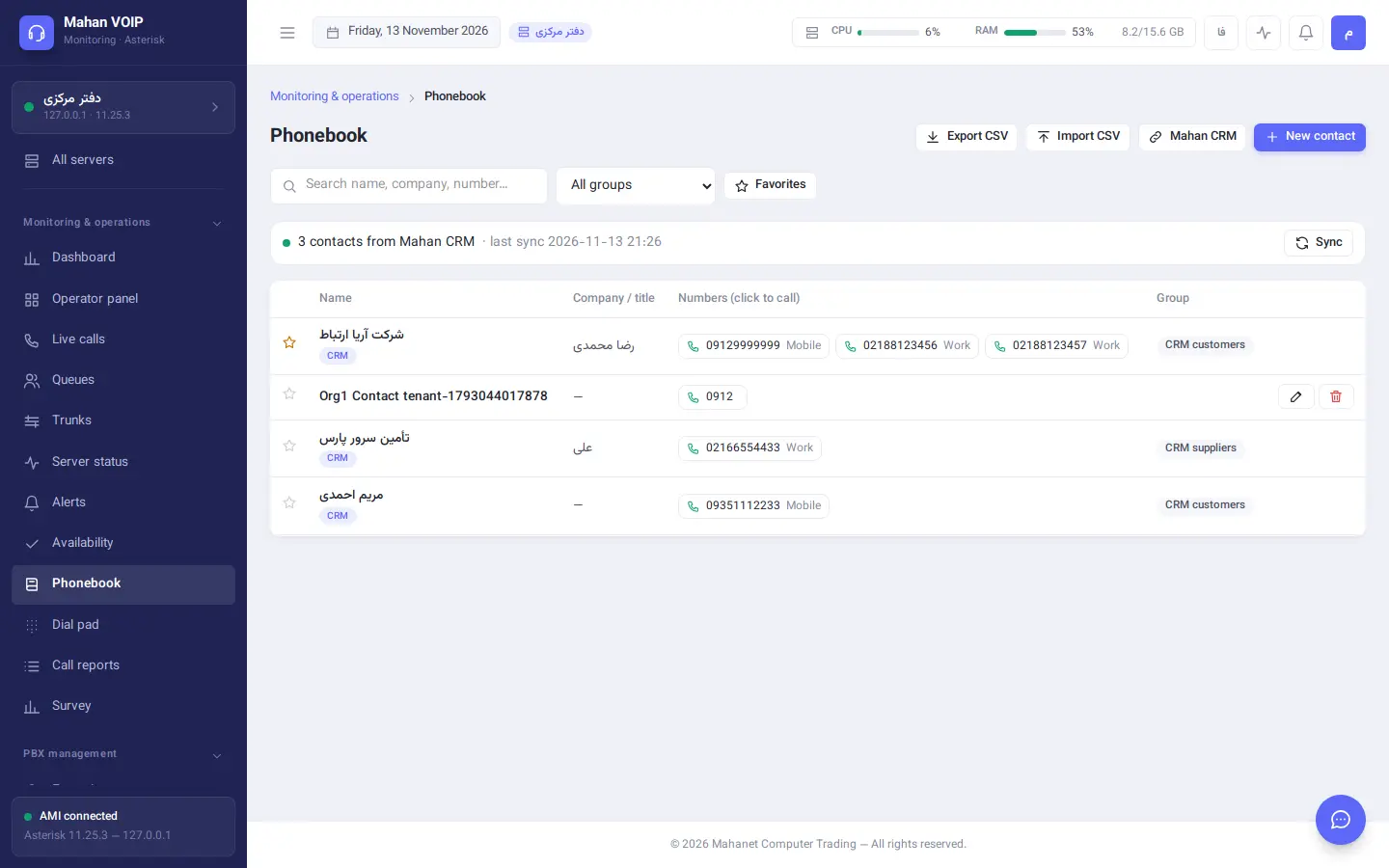
CRM customers with their numbers, company and account manager sync into the panel phonebook automatically, so calls show the customer's name.
Trunk and server alerts, each user's missed calls, a daily report and commands like /status, /calls and /dnd in a chat app (Telegram and email alerts too).
A second softphone for iOS, Android and Windows with call and message notifications; one QR code sets up both Mahan Phone and Mahan SoftPhone.
The agent creates and connects the AMI and CDR users on the phone server by itself, over a verified channel with sealed messages.
First-run setup in the browser by market, licence activation with approval and a signed periodic check; a top-of-page menu as an option.
Asterisk servers connect over AMI and FreeSWITCH servers over Event Socket. Your team gets the same panel, the same reports and the same controls on both.
The small Mahan agent runs on the phone server and connects out to the panel — ideal for servers behind NAT and on customer networks.
# install the Mahan agent on the phone server
$ curl -fsSL https://PANEL/agent/v1/install.sh \
    | sudo sh -s -- --token mae_••••••••
✓ agent registered  (Ed25519)
✓ AMI   127.0.0.1:5038  via agent
✓ CDR   127.0.0.1:3306  via agent
✓ connected — no inbound ports opened
Their own extension in the panel, calls and reports; web dial pad, browser phone and softphone.
Listen, whisper, hang up and transfer, plus queue management and alerts for their extension range.
Everything, plus PBX management, users, organisations and server settings.
The complete list of Mahan VOIP menus and sub-menus. Every section can be granted separately to each user group.
| Phone systems | Plain Asterisk, FreePBX, Issabel, Elastix, VitalPBX, FreeSWITCH, FusionPBX |
|---|---|
| Asterisk versions | 1.8, 11, 13, 16, 18, 20 and newer, with chan_sip and PJSIP; detected automatically |
| Connection | AMI, Event Socket and the CDR database (MySQL / MariaDB) — direct, over SSH or through the agent |
| Softphone | Mahan Phone for Android, iOS and Windows; UDP, TCP and TLS + SRTP; Opus, G.722, G.711 |
| Deployment | Docker on Ubuntu, Debian, Rocky and Alma; install, update, backup and restore with one script |
| Safe updates | Automatic database backup before every update and automatic rollback on failure |
| Interface | English and Persian; light and dark themes; mobile-friendly; per-panel time zone |
| Technology | Node.js, PostgreSQL, React; softphone built with Flutter and PJSIP |
One script installs it on any Linux server with Docker.
sudo ./mahan-panel.sh installEnter the AMI or Event Socket address, or install the agent on the phone server with one command.
curl -fsSL …/install.sh | sudo shCreate access groups, connect Active Directory and send staff their softphone QR codes.
LDAP · Mahan Phone QRNo. Mahan VOIP connects to the Asterisk or FreeSWITCH server you already have and makes admin changes through FreePBX, Issabel or FusionPBX's own functions, so the server's native GUI keeps working.
Yes. Everything from Asterisk 1.8 and 11 (Elastix, Issabel 2) to the latest releases is supported, and the panel detects the version automatically.
Yes. Mahan Phone is a standard SIP softphone and accounts can be entered by hand. With the Mahan VOIP panel you also get QR set-up, a live directory, messaging and secure access from outside the office.
Yes. The SIP Edge service next to the panel connects permitted extensions from the internet to the PBX. The PBX itself is never exposed, and each extension's remote access is a single switch in the panel. TLS mode works on mobile networks that block plain SIP.
Install the Mahan agent on the phone server. It connects out to the panel, and AMI, CDR, metrics and PBX management all run over that one connection.
It doesn't have to. The AI operator can run entirely on your own servers: speech recognition, the language model and the voice are all local. Cloud providers are optional.
Yes. PBX migration moves extensions, trunks, routes, IVRs, queues, sounds, call recordings and call records with a dry run and undo, and the Mahanet team is with you on cut-over day.
There's no limit. Servers can be of different types, and with multi-tenancy each customer only sees their own.
Fill in the form and the interactive panel demo opens straight away. A Mahanet specialist will then contact you for a live demo on sample data or your own server.